Fixed-Mount vs Handheld Barcode Scanners: Which Is Right for Industrial Operations?
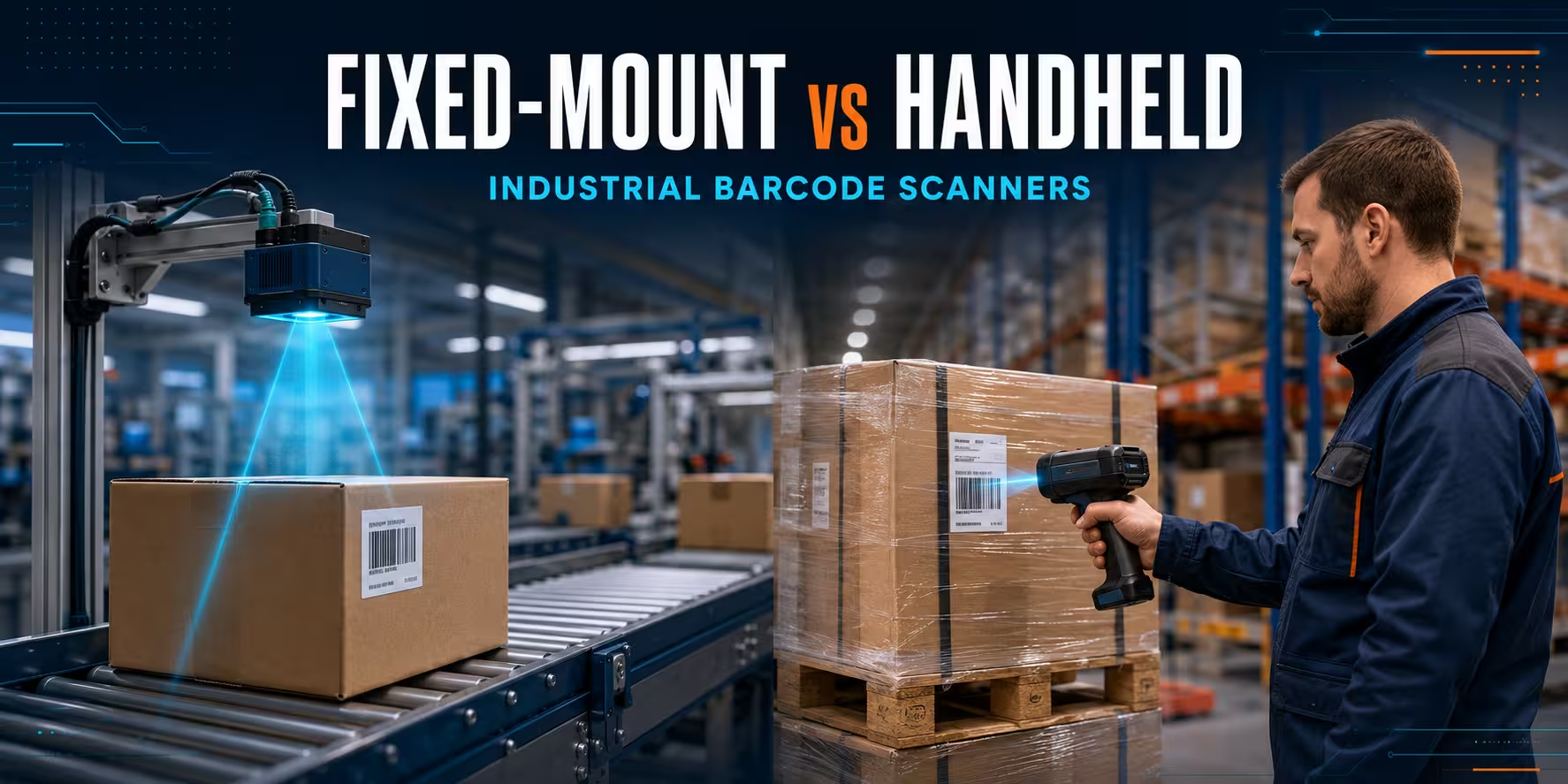
A fixed-mount barcode scanner and a handheld scanner may decode the same 1D or 2D code, but they are designed for different operating models. A fixed industrial reader captures codes automatically at a controlled point—such as a conveyor, production cell, print-and-apply station or dock door. A handheld scanner puts the aiming, timing and exception handling in the operator’s hands.
The practical choice is therefore not simply about scan speed. It depends on how consistently the object arrives, whether the code position is predictable, how much human judgment the process requires, what happens after a no-read and how the scan must connect to the WMS, PLC, machine controller or traceability platform.
This fixed mount barcode scanner vs handheld scanner guide compares automation, flexibility, throughput, integration, DPM and OCR capability, maintenance and total cost. It also explains when a hybrid design delivers the best result. If your process includes unattended reading, start with AutoID Warehouse’s industrial inspection systems and fixed readers. For operator-led work, compare the wider range of barcode readers, including corded scanners and wireless scanners.
Quick recommendation: choose a fixed-mount reader when products pass a repeatable point and every valid code should be captured without a trigger pull. Choose a handheld scanner when the operator must find the label, move around the item or decide how to handle an exception. Use both when the main flow can be automated but damaged labels, oversize goods or rejected items still require manual recovery.
Fixed-mount vs handheld barcode scanners: the short answer
| Decision point | Fixed-mount barcode scanner | Handheld barcode scanner |
|---|---|---|
| Operating model | Automatic or externally triggered capture at a defined station | Operator aims and triggers the scan |
| Best fit | Conveyors, production lines, sortation, print verification and machine integration | Receiving, picking, packing, inventory, maintenance and exception handling |
| Object and code position | Works best when presentation can be engineered and controlled | Handles changing positions because the operator can reposition the reader or item |
| Throughput | Suitable for continuous, repeatable capture without adding a scan action | Limited by the complete human task, not only decoder speed |
| Integration | Often connects to PLCs, industrial I/O, Ethernet networks, line controls or host software | Usually connects to a PC, POS, tablet or mobile computer through USB, Bluetooth or a cordless base |
| Difficult codes | Can use selected optics, lighting, filters and DPM/OCR software for a controlled application | The operator can change angle and distance; specialist DPM models are available |
| Exceptions | Needs a defined reject, re-scan or manual recovery path | The operator can often respond immediately, subject to application guidance |
| Cost profile | Higher project and integration cost, potentially lower touch time at sufficient volume | Lower deployment complexity, but each transaction includes operator handling |
What is a fixed-mount barcode scanner?
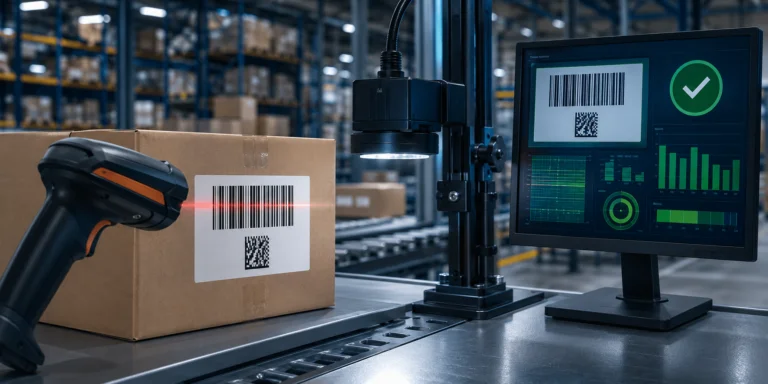
A fixed-mount barcode scanner is installed in a stable position and reads codes as objects enter its field of view. The reader may be triggered by a photoelectric sensor, PLC signal, encoder, software command or continuous acquisition rule. After decoding the symbol, it sends the result and status information to the control or business system.
In a simple application, one compact reader scans a carton at a stop point. In a more demanding system, multiple readers, lenses or lights may cover several sides of a moving object. A conveyor barcode scanner can also participate in a larger station that includes presence detection, dimensional measurement, label verification, reject control and image storage.
The important point is that the scanner does not create a predictable application by itself. Reliable automated capture comes from the complete imaging geometry: code size, print quality, reading distance, field of view, object speed, motion blur, angle, surface, ambient light, trigger timing and network response. The reader must be selected and configured around those variables.
Typical fixed industrial scanning applications
- Conveyor identification: capture carton, tote or parcel IDs without stopping an employee to scan each item.
- Sortation: send a decoded identifier to the control system so an item can be routed to the correct lane.
- Print-and-apply confirmation: verify that a newly applied label is present, readable and associated with the correct record.
- Production traceability: record components, assemblies, work-in-progress or serialised products at defined process steps.
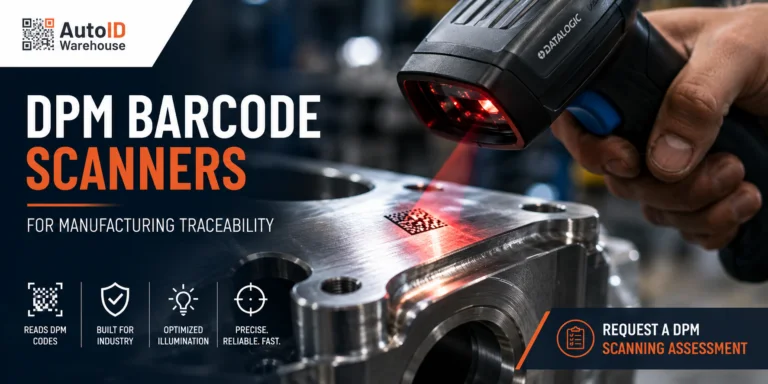
- DPM reading: capture Data Matrix or other marks applied directly to metal, plastic or components.
- OCR-enabled workflows: read selected human-readable characters when the application and licensed capability support it.
- Dock and portal events: identify goods at controlled inbound or outbound points, often as part of a wider sensor system.
What is an industrial handheld scanner?
An industrial handheld scanner is a trigger-operated reader designed for repeated manual use in warehouse, logistics or manufacturing environments. Corded models connect predictably to a nearby workstation. Cordless models give the user room to move around pallets, work cells and packing areas. Ultra-rugged families add sealing, impact resistance and scan-engine choices for harsh sites, long distances or specialised codes.
The operator is part of the imaging system. They can find a label, avoid glare, change the angle, move closer, step back or select a different barcode on a mixed item. This adaptability is extremely valuable when incoming goods are inconsistent or when a process contains many legitimate exceptions.
However, manual flexibility has a cost. The worker must locate the code, aim, trigger, wait for confirmation and decide what to do next. At high and stable volumes, that touch time can become the automation opportunity. At low or variable volumes, the flexibility may be more valuable than eliminating the trigger pull.
Typical handheld scanning applications
- Receiving: scan supplier cartons, pallet labels and item codes that arrive in different positions.
- Picking and replenishment: confirm locations and products while the worker moves through the warehouse.
- Packing: verify order contents at a PC-based station before closing the parcel.
- Cycle counting: capture locations and inventory where the user needs mobility and on-the-spot decisions.
- Quality control: scan serial numbers or difficult marks during an inspection process.
- Rework and exceptions: recover items rejected by an automated station because the label is damaged, concealed or out of position.
For demanding operator-led workflows, the Zebra DS3600-HP is an example of an ultra-rugged handheld family configuration. The exact DS3600 variant should be chosen for the code type and reading range rather than by family name alone. If the worker also needs WMS screens, task instructions and real-time data entry while moving, compare the difference between a scanner and a terminal in our barcode scanner vs mobile computer guide.
A fixed industrial reader is not the same as a presentation scanner
The phrase “fixed scanner” is used for several product types, and that can cause a costly category mistake. A presentation or tabletop scanner is usually designed for a person to move an item through a read zone at a retail counter, reception desk or light-duty workstation. It can be hands-free, but the human still controls product presentation.
A fixed industrial barcode scanner is designed to become part of a machine, conveyor, production cell or traceability station. The project may require industrial power, discrete I/O, Ethernet protocols, external triggers, controlled illumination, mounting hardware, enclosures and direct communication with a PLC or line controller.
For unattended conveyors, production and DPM applications, use the Inspection Systems category as the commercial starting point. The fixed tabletop barcode reader category is more appropriate when an operator presents items at a counter or workstation.
Which scanner fits each industrial workflow?
| Workflow | Recommended approach | Reason |
|---|---|---|
| Cartons on a controlled conveyor | Fixed-mount | The object follows a repeatable path and the scan can be linked to line control. |
| Mixed pallets at receiving | Handheld | Labels may face different directions and the operator already inspects the load. |
| Automated label application | Fixed-mount | The system can confirm each code immediately after the label is applied. |
| DPM codes at one production fixture | Fixed-mount | Part position, optics and lighting can be engineered for repeatable capture. |
| DPM inspection across varied parts | Specialist handheld or hybrid | The user can adapt the reading angle; a fixture may still improve repeatability. |
| Warehouse picking | Handheld scanner or mobile computer | The employee travels to the code and needs task-level flexibility. |
| High-volume parcel sortation | Fixed-mount multi-side system | Automation removes the manual scan action and can support routing decisions. |
| Oversize and irregular goods | Handheld or hybrid | Object dimensions and code positions may be too variable for one fixed field of view. |
| Automated flow with occasional no-reads | Hybrid | The fixed station handles normal volume while a manual lane resolves exceptions. |
Nine technical questions to answer before choosing
1. Is the code presentation repeatable?
Automation becomes easier when the item travels through a predictable zone and the code faces a known direction. If cartons rotate, labels can appear on any side or goods vary significantly in height, one reader may not cover the application. The answer may be a wider field of view, multiple cameras, a scan tunnel, mechanical guidance or an operator-led scan.
Do not assume a wide image solves every variation. A larger field of view can reduce the number of pixels available across a small code. The application must balance coverage with the detail required for reliable decoding.
2. What is the smallest code and narrowest module?
“We scan Data Matrix” is not a complete requirement. Record the physical code size, module or X-dimension, print or marking method, quiet zone, expected damage and distance from the reader. Build a representative sample set that includes normal, marginal and failed labels—not only clean artwork printed for the demonstration.
GS1 barcode standards provide a common foundation for identifying products, logistics units, assets and locations. The application still needs the correct data carrier, print quality and scanner configuration for its operational conditions.
3. Is the code printed on a label or marked directly on the part?
Printed logistics labels and direct part marks behave differently. DPM codes may be laser-marked, dot-peened, etched or moulded into reflective or textured surfaces. Contrast can change with viewing angle, and lighting becomes part of the decoding solution.
A DPM-capable reader is necessary, but the label “DPM” alone does not guarantee success. Test the real material, mark, cycle time and allowable mounting position. A fixed system can use selected lighting and optics for repeatability. A handheld DPM reader allows an operator to adjust the angle, which may suit repair, inspection and lower-volume processes.
4. Is the item moving, and at what speed?
For moving objects, document conveyor speed, direction, spacing, acceleration, vibration and the time the code remains visible. Motion can blur the image even when a static demonstration works perfectly. Trigger timing, exposure, sensor choice and lighting must be evaluated together.
The target is not the scanner’s headline acquisition rate. It is reliable capture within the real time window, followed by a usable result before the control system must make its decision.
5. What reading distance and field of view are required?
Measure the minimum and maximum distance from the planned mounting point to the code. Include variations caused by different cartons, pallet heights, fixtures and tolerances. Determine whether autofocus is sufficient or whether a specific C-mount lens is required for the application.
With handheld devices, reading range affects ergonomics. An extended-range engine can help operators scan pallet and rack labels without leaving the forklift, but it must still read nearby codes if the workflow needs both distances.
6. What lighting and surfaces will the reader see?
Ambient daylight, flicker, shadows, reflective film, curved packaging and polished metal can all alter the image. Fixed-mount systems may need integrated or external lighting, polarisation, diffusers or a controlled enclosure. The correct solution is established through application testing, not by choosing the brightest light.
7. What system receives the data?
A handheld scanner commonly behaves as an input device for a PC, tablet or mobile computer. A fixed industrial reader may exchange data and status with a WMS, MES, PLC, robot controller, industrial PC or edge application. Confirm the physical interface, protocol, message structure, trigger, acknowledgement, timeout and retry behaviour.
Also define whether the reader only sends the decoded string or whether the system needs images, quality information, timestamps, device health and no-read events. Network and cybersecurity requirements should be included before installation, particularly when readers are connected to operational technology networks.
8. What should happen after a no-read?
No automated station is complete until the exception path is designed. Decide whether the line should stop, the item should be diverted, another reader should attempt capture or an operator should use a handheld scanner. Store enough context to diagnose recurring failures: time, station, item, captured image, trigger state and reason where available.
9. How will success be measured?
Define acceptance criteria before choosing hardware. Useful measures include first-pass read rate, false-read rate, no-read rate, successful reads by code class, latency, throughput at peak conditions, manual recovery rate and station availability. A single overall read-rate figure can hide a serious failure on one supplier label, part family or shift.
Fixed-mount scanner integration: what the project really includes
An automated barcode station is more than a reader attached to a bracket. A production-ready design usually includes the following layers:
- Mechanical design: stable mounting, protection from impact, vibration control, access for adjustment and safe cable routing.
- Imaging design: sensor resolution, lens, focus, field of view, exposure, lighting and filters.
- Triggering: object detection, timing, encoder or PLC coordination and rules for closely spaced items.
- Data logic: accepted symbologies, parsing, duplicate control, validation and association with the correct item or production event.
- Industrial communication: Ethernet or serial communication, digital I/O, protocols, acknowledgements and failure states.
- Exception handling: re-read, reject, stop, quarantine or manual recovery.
- Operations support: device health, backup configuration, change control, cleaning, spare strategy and escalation.
Configuration software can simplify commissioning, but it does not replace application engineering. Zebra’s Aurora Focus documentation, for example, covers the vendor environment used to configure and manage supported fixed industrial scanning and machine vision devices.
Cost comparison: evaluate cost per successful transaction
A handheld scanner usually costs less to place into service because it can connect to an existing workstation and the worker handles code presentation. A fixed-mount system may require engineering, mounts, sensors, optics, lighting, controls, cabling, software work, guarding and commissioning in addition to the reader.
Device price alone therefore creates a misleading comparison. Evaluate the cost of completing the process:
- operator time spent locating, aiming and confirming each code;
- annual transaction volume and peak-hour demand;
- rework caused by no-reads, wrong reads or manual entry;
- line stops and the cost of delayed decisions;
- integration, training, preventive maintenance and support;
- expected growth and the point at which manual capacity becomes a constraint;
- the business impact of traceability gaps or incorrect routing.
At a stable, high-volume scan point, automation can remove a repetitive action from every cycle. At a low-volume station with highly variable items, the engineering cost may exceed the labour saved. The break-even point is specific to the operation. Use real cycle observations and loaded labour cost rather than a generic percentage claim. For a broader business-case model, see the warehouse barcode implementation guide and ROI calculator.
When a hybrid scanning system is the right answer
Many mature operations use both technologies. The fixed-mount reader processes the predictable majority, while a handheld device supports exceptions and tasks that do not justify a dedicated automated station.
A parcel line, for example, can route normal cartons automatically. Items with folded, damaged or concealed labels can be diverted to a manual lane. The operator scans the code, corrects the data where authorised and returns the parcel to the process. This design preserves throughput without pretending that every incoming item will be perfectly presented.
A hybrid system is also useful during rollout. Teams can keep the manual process available while measuring fixed-station performance, refining triggers and identifying problematic label sources. Manual fallback should be controlled and visible, however. If operators quietly bypass the automated station, performance reports can look better while process risk moves elsewhere.
Industrial reader examples available through AutoID Warehouse
The correct model depends on application testing and configuration. The following examples illustrate different fixed industrial architectures; availability, licences, lenses, lighting and accessories should be confirmed for the final build.
Zebra FS40: integrated fixed industrial scanning
The Zebra FS40 fixed industrial scanner is a practical candidate for applications that benefit from an integrated device with industrial connectivity, autofocus options and software capabilities selected for standard 1D/2D, DPM or OCR workflows. It can suit production, packaging and logistics stations where the required field of view and code size fit the available sensor and optical configuration.
Zebra FS70: C-mount flexibility
The Zebra FS70 uses a C-mount architecture that allows the lens and lighting to be selected around the application. That flexibility is useful when reading distance, field of view or surface behaviour cannot be addressed by an integrated-optics reader. It also means that lens, illumination and mounting choices are part of the project—not optional details to decide after purchase.
Zebra FS80: higher-resolution, complex inspection points
The Zebra FS80 C-mount fixed industrial scanner is positioned for demanding automated capture, with configurations listed from 5 MP to 16 MP and software options for standard 2D, faster decoding, DPM and OCR. It supports industrial integration through Gigabit Ethernet, USB and I/O, subject to the selected configuration. Consider it for large fields of view, smaller codes within a scene or complex traceability points that justify the higher-end imaging platform.
Omron MicroHAWK V430: compact industrial Ethernet reader
The Omron MicroHAWK V430 is a compact fixed reader family with industrial Ethernet variants, integrated illumination, autofocus or fixed-focus choices and IP65/IP67 protection on the listed family. Its compact format makes it relevant where installation space is restricted but the application still needs industrial communication and 1D/2D decoding.
Zebra DS3600: rugged manual capture and recovery
A handheld family such as the Zebra DS3600 can support operator-led industrial scanning and the exception lane beside a fixed station. Standard-range, high-performance, high-density, DPM and extended-range needs should be matched to the appropriate DS3600 configuration. A rugged housing does not make every scan engine suitable for every barcode.
Do not select a fixed industrial reader from the model name alone. Send AutoID Warehouse sample codes, minimum and maximum reading distance, object speed, field-of-view dimensions, interface requirements and photos or video of the application.
Request a scanner test and configuration recommendation
Deployment checklist for a fixed industrial barcode reader
Phase 1: document the process
- Map the item path, trigger event, required decision and downstream action.
- Record normal volume, peak volume, line speed, object spacing and allowed latency.
- Define every exception, including unreadable, duplicate, unexpected and missing codes.
- Identify who owns the WMS, MES, PLC, network and mechanical changes.
Phase 2: build a representative code sample
- Collect codes from every supplier, material, product family and marking process.
- Include small, large, low-contrast, damaged, curved, reflective and DPM examples.
- Measure code dimensions and document the required reading distances.
- Keep known failures in the sample set; they are more valuable than perfect labels.
Phase 3: run an application test
- Test at real speed and working distance, not only while holding the item still.
- Reproduce ambient lighting, vibration, product variation and code orientation.
- Evaluate the complete optical combination: reader, sensor, lens, light and filter.
- Measure results by code class and condition instead of reporting only one average.
Phase 4: design mechanics and controls
- Use rigid, adjustable mounting with access for service and cleaning.
- Protect the field of view from collision, uncontrolled reflections and obstruction.
- Validate trigger position, acquisition timing and association with the correct item.
- Define I/O, protocol, message, acknowledgement, timeout and recovery behaviour.
Phase 5: perform acceptance testing
- Run normal and peak conditions for a period long enough to expose intermittent failures.
- Challenge the station with marginal samples and legitimate process variation.
- Verify no-read, duplicate, wrong-code, network-loss and power-recovery scenarios.
- Confirm that operators understand indicators, reject flow and manual fallback.
Phase 6: hand over and improve
- Back up configuration and record approved parameter changes.
- Create cleaning, inspection and preventive-maintenance routines.
- Monitor no-reads by supplier, code type, product family, station and shift.
- Keep a tested spare or recovery plan when the scan point can stop production or shipping.
If the fixed station is one part of a larger receiving, picking or shipping project, connect this checklist to the end-to-end warehouse barcode scanning system guide.
Common mistakes when comparing fixed-mount and handheld scanners
Automating an unstable process
If labels appear anywhere, print quality varies without control and items overlap on the conveyor, installing a fixed reader will expose those problems. Standardise code placement, spacing and exception rules before expecting consistent unattended capture.
Testing only perfect codes
A demonstration with a large, clean label at zero speed does not represent the production process. Test the boundaries: smallest code, longest distance, fastest movement, poorest permitted contrast and most difficult surface.
Buying resolution without checking optics
More megapixels can support a larger scene or smaller features, but resolution is only one part of the system. Lens choice, working distance, lighting, exposure and processing time still determine whether the code is captured reliably.
Ignoring the control and exception path
A successful decode must be associated with the correct object and arrive before the process decision. A no-read must create a controlled action. Without trigger logic, acknowledgements and recovery, even good scanning hardware can produce unreliable traceability.
Comparing purchase price instead of operating cost
A fixed station can cost more initially but remove repeated manual touch time. A handheld scanner can be economical and resilient when volumes are modest or variation is high. Model the full process and review the assumptions after a pilot.
Removing the manual fallback too early
Keep an approved recovery route until the automated station has passed real production conditions. Manual fallback should be logged so teams can see whether failures come from labels, item presentation, integration or scanner configuration.
Final recommendation
Choose a fixed-mount barcode scanner when the scan point is repeatable, the code can be presented inside a designed field of view, transaction volume justifies automation and the line has a controlled response to good reads and no-reads.
Choose an industrial handheld scanner when objects, code positions or tasks vary; when the operator must inspect and decide; or when the volume does not justify a dedicated automated station.
Choose a hybrid scanning system when automation can process the standard flow but exceptions still need human adaptability. In many warehouse and manufacturing projects, this is the most practical architecture: fixed readers create consistent high-volume capture, while handheld scanners protect continuity during exceptions, rework and maintenance.
The safest procurement process starts with samples and operating conditions, not a catalogue shortlist. Define the code, distance, field of view, speed, lighting, system interface and failure response. Then test the exact reader, optics and illumination before committing to rollout.
Planning conveyor scanning, production traceability or DPM capture? AutoID Warehouse can help assess the application, compare fixed and handheld options and configure the reader, optics, lighting, connectivity and recovery workflow.
Frequently asked questions
Is a fixed-mount barcode scanner faster than a handheld scanner?
A fixed-mount reader can support higher process throughput because it removes the operator’s locate, aim and trigger steps. Actual performance depends on code size and quality, object speed, field of view, lighting, trigger timing, integration latency and exception handling. Compare successful transactions under real conditions, not decoder speed alone.
When should I use a fixed industrial barcode scanner?
Use one when items pass a defined scan point, code presentation can be controlled and the system needs automatic identification for a conveyor, production line, sortation point, print verification station or traceability cell. The project must also define what happens after a read or no-read.
Can a fixed-mount scanner read barcodes on moving conveyors?
Yes, when the scanner, sensor, exposure, optics, lighting and trigger are selected for the real conveyor speed and visibility window. Test the actual motion, spacing, code size, orientation and surface before rollout.
Do I need a special scanner for DPM codes?
Usually, yes. Direct part marks can have low or angle-dependent contrast and often require a DPM-capable decoder plus application-specific lighting and optics. Test the real marked parts; the term DPM on a specification sheet does not guarantee every mark will read reliably.
What is the difference between a fixed industrial scanner and a presentation scanner?
A presentation scanner is generally designed for a person to move an item through a hands-free read zone at a counter or workstation. A fixed industrial scanner is integrated into a machine, conveyor or automated cell and may use industrial I/O, Ethernet communication, external triggers, selected optics and controlled lighting.
Can fixed-mount and handheld scanners work in the same system?
Yes. A common hybrid design uses fixed readers for the normal automated flow and handheld scanners for damaged labels, irregular goods, rework and other exceptions. Both should send validated data into the same WMS, MES or traceability process.
How do I choose the lens and lighting for a fixed scanner?
Base the choice on field-of-view dimensions, reading distance, code size, surface, colour, movement and ambient conditions. The correct combination is normally established through an application test using representative good and difficult samples.
What information should I provide when requesting a fixed scanner quotation?
Provide sample codes, code dimensions and symbologies, minimum and maximum reading distance, field-of-view size, object speed, code orientation, surface material, ambient lighting, required interface or protocol, expected volume and the required action after a no-read.