Wearable Barcode Scanners for Warehouse Picking: Ring Scanners vs Handhelds
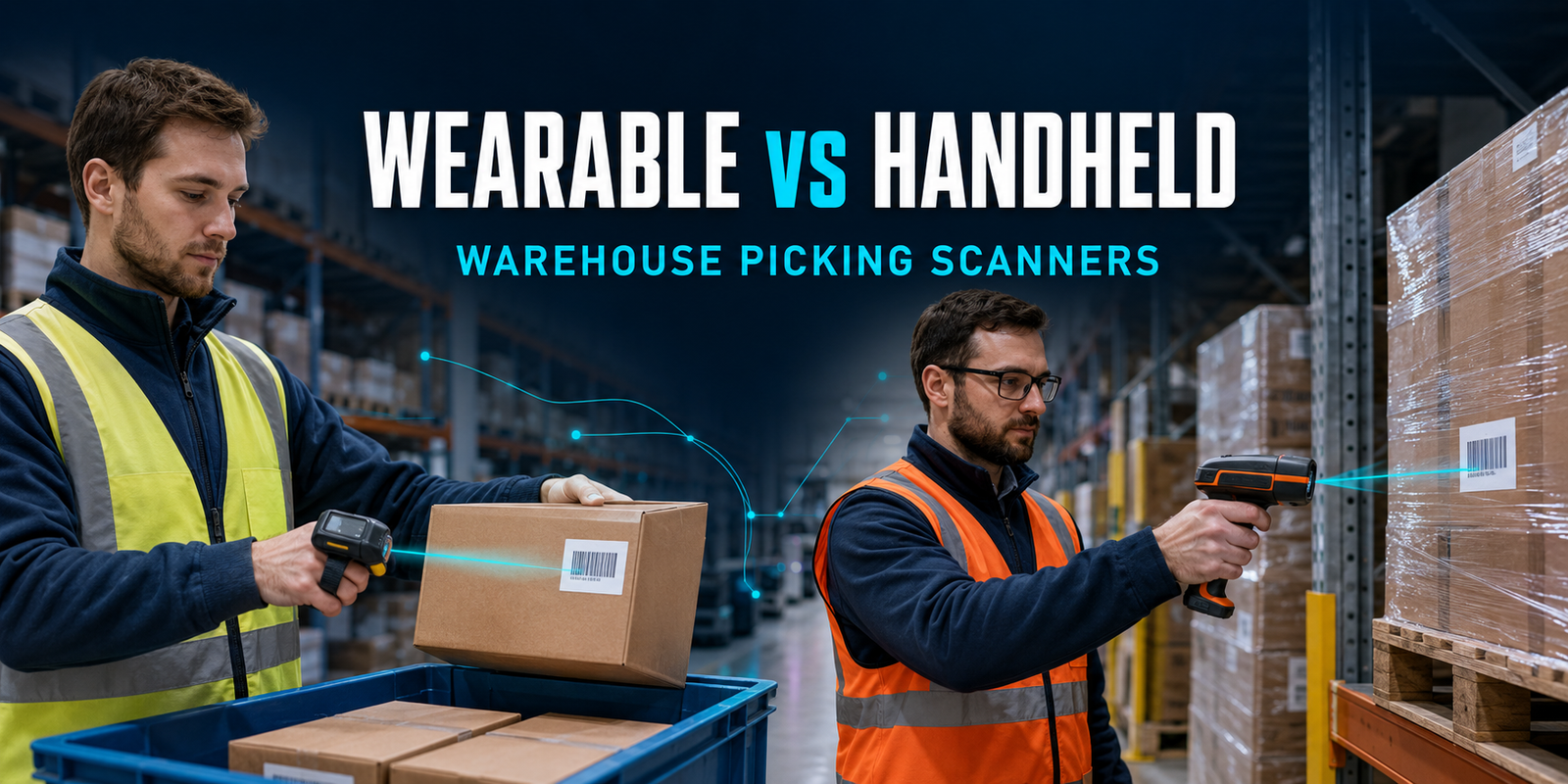
Wearable barcode scanners for warehouse picking can remove a small but repeated interruption from every pick: reaching for a scanner, gripping it, aiming, scanning and putting it down before handling the product again. A ring scanner or back-of-hand scanner stays with the operator, leaving the fingers and palm available for cartons, totes and individual items. That can make high-frequency picking feel more continuous and reduce unnecessary device handling.
A wearable scanner is not automatically the best choice for every warehouse task. A rugged handheld scanner remains easier to share, more familiar to occasional users and often better suited to receiving, packing, cycle counting and exception work where scanning is intermittent. The right decision depends on the complete workflow—not only scan-engine specifications.
Quick recommendation: choose a wearable ring scanner for repetitive piece or case picking when the operator scans frequently and needs both hands to handle goods. Choose a handheld scanner when tasks change during the shift, labels appear in unpredictable positions or one device must support many users and stations. Use a mixed fleet when wearable scanners serve high-volume picking zones and handhelds cover receiving, packing and exceptions.
Start by comparing AutoID Warehouse’s portable and wearable barcode scanners. Current options include the lightweight Zebra RS2100, the rugged extended-range Zebra RS6100, the ProGlove MARK Basic and the Unitech MS652+. Product availability and the correct accessories should be confirmed for the final configuration.
Request a wearable scanner and warehouse picking assessment
Ring scanner vs handheld scanner: the short answer
| Decision point | Wearable or ring scanner | Handheld scanner |
|---|---|---|
| Best operating model | Frequent scans inside a repetitive picking sequence | Intermittent scanning across varied tasks |
| Use of the hands | Scanner remains on the hand; fingers and palm can stay available, depending on the mount | One hand normally grips the scanner during capture |
| Typical applications | Piece picking, case picking, sortation, replenishment and assembly | Receiving, packing, inventory, quality checks and exception handling |
| Host device | Usually pairs with a mobile computer, wearable computer, tablet, phone or workstation | Connects to a PC, tablet, mobile computer or cordless base |
| User fit | Mount size, hand preference, gloves, hygiene and trigger position must be assessed | Generally simple to hand between users; grip size and weight still matter |
| Reading distance | Ranges from close/standard-range to advanced long-range, depending on scan engine | Wide choice of standard, high-density, DPM and extended-range variants |
| Battery strategy | Integrated, removable or corded power; charging and spare mounts are part of deployment | Often uses replaceable batteries or a presentation/charging cradle |
| Strongest advantage | Reduces pick–scan–regrip interruptions | Maximum flexibility across mixed work |
What is a wearable barcode scanner?
A wearable barcode scanner is a compact 1D/2D reader attached to the worker through a finger, hand, glove, wrist or retractable mount. The operator triggers the scan while the device remains attached, so the scanner does not have to be repeatedly picked up and put down. Most warehouse models communicate through Bluetooth with the computer that runs the WMS application.
The term includes several physical designs:
- Ring scanners use a one-finger or two-finger mount. They are compact and place the trigger close to the fingers.
- Back-of-hand scanners position the reader above the hand and can leave the palm unobstructed for gripping cartons and components.
- Glove-mounted scanners use a textile wearable or trigger point designed around a specific work method.
- Retractable or lanyard configurations keep the scanner close to the user without continuously occupying the hand.
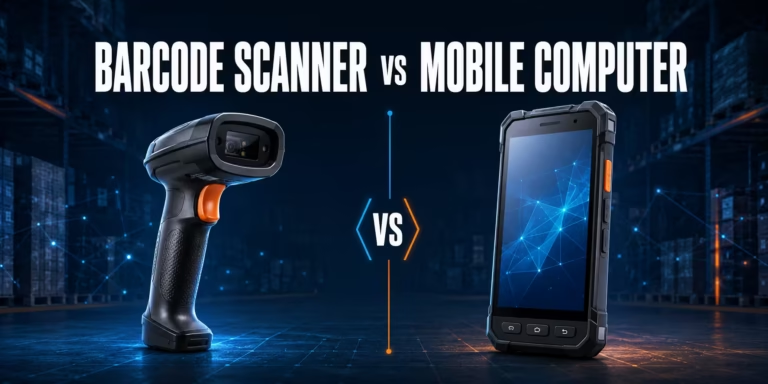
A wearable scanner is normally a data-capture peripheral, not a complete WMS terminal. It decodes the barcode and sends the data to a host. The host device displays the pick location, SKU, quantity, route and exception messages. If the worker needs an Android application, screen, Wi-Fi and local processing in the same unit, compare this architecture with a mobile computer in our scanner vs mobile computer guide.
What is a handheld warehouse barcode scanner?
A handheld scanner is a trigger-operated reader held in one hand during scanning. It may be corded to a workstation or connected wirelessly through Bluetooth or a dedicated base. Rugged warehouse families are available with standard-range, high-density, direct part marking and extended-range engines, so “handheld” describes the form factor rather than one level of performance.
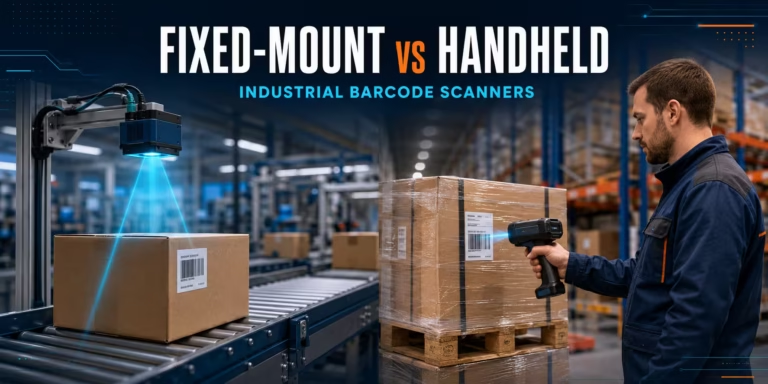
Handheld scanners remain valuable because the operator can aim from different angles, move around a pallet and select the correct code among several labels. They are easy to place at a packing bench, share between shifts or use as a manual fallback. For a broader comparison of automated and operator-controlled capture, see our guide to fixed-mount vs handheld barcode scanners.
The disadvantage appears when a scanner is used hundreds or thousands of times within a repetitive picking sequence. The worker may repeatedly release the product, locate the scanner, scan, place the scanner down or holster it and then recover the product. The time cost of one movement is small; the operational cost comes from repetition.
Why hands-free scanning can improve warehouse picking
It changes the motion sequence, not just the scan
Warehouse picking productivity is determined by the whole task: travel, search, reach, confirmation, handling, placement and exception resolution. Decoder speed is only one small part. A hands-free barcode scanner can improve the sequence by keeping the reader in position while the worker handles stock.
Consider a typical piece-picking cycle. With a handheld scanner, the worker may hold the tote, take the scanner, capture the location, return the scanner, pick the item, take the scanner again, capture the product and place it back before confirming quantity. With a wearable scanner, location and product capture can happen without repeatedly changing tools. The exact saving depends on the WMS prompts, storage layout, label position and number of scans required.
This is why generic claims such as “X percent faster” are not reliable purchasing criteria. A site that already uses a well-positioned cordless scanner at a bench may see little difference. A high-volume piece-picking zone with several scans per line can have a stronger business case. Measure the current movement and compare it with a pilot.
It can support better handling control
Keeping the palm and fingers available can help when products require two-handed handling, when the operator builds cartons or when small items must be sorted into totes. The benefit depends on the mount. A bulky ring, poorly adjusted strap or trigger in the wrong position can interfere with gripping rather than improve it.
It can reduce device placement and retrieval
A scanner that remains attached to the worker is less likely to be left on a pallet, hidden behind packaging or placed outside the normal reach zone. However, small wearable devices can still be misplaced during breaks, charging or shift changes. Device assignment, charging locations and optional location tools should be part of the process.
It can improve confirmation in noisy environments
Warehouses are not quiet. Audible feedback can be masked by conveyors, lift trucks and packing equipment. Wearable scanners may provide combinations of sound, vibration and programmable LEDs. The WMS should still display a clear accepted, rejected or wrong-item state. A decode beep alone confirms that a symbol was read; it does not prove that the WMS accepted the item for the task.
Which device fits each warehouse workflow?
| Workflow | Recommended approach | Why |
|---|---|---|
| High-frequency piece picking | Wearable scanner | Frequent scans and repeated handling create the strongest opportunity to remove regripping. |
| Case picking to pallet | Wearable, often with extended range | The worker can handle cartons with both hands and may need to reach pallet or rack labels from a practical distance. |
| Receiving mixed supplier pallets | Handheld or mobile computer | Labels and tasks vary, and the operator may need a screen, keyboard, camera or exception entry. |
| Packing at a workstation | Handheld or presentation scanner | The scanner can remain at a controlled bench and does not necessarily interrupt handling. |
| Replenishment | Wearable or rugged mobile computer | Choice depends on carton handling, rack-label distance and the amount of on-screen data entry. |
| Cycle counting | Handheld mobile computer | Counting may require screen navigation, quantity entry and investigation rather than continuous scanning. |
| Cold storage picking | Cold-rated wearable or handheld | Temperature rating, glove fit, condensation, batteries and charging transitions must all be validated. |
| Damaged-label exceptions | Specialist handheld | The operator can change distance and angle, inspect the item and enter an authorised recovery action. |
Nine selection criteria for a warehouse ring scanner
1. Map the complete pick process
Do not begin with the scanner catalogue. Observe how the worker receives the task, travels, identifies the location, confirms the item, handles quantity, places the goods and resolves errors. Count scans per order line and note when the user has to put something down. A wearable scanner has the greatest value where scanning and handling are tightly interleaved.
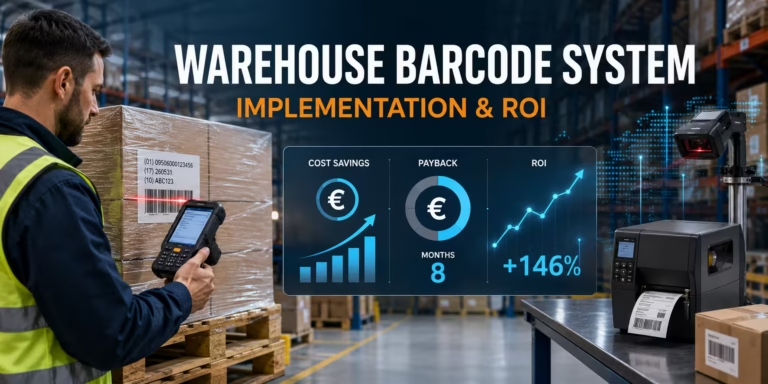
If the process itself is inconsistent, changing form factor will not fix it. Standardise location labels, product identifiers and WMS confirmation rules first. Our warehouse barcode implementation guide and ROI calculator provides a broader framework for data, labels, hardware, testing and financial justification.
2. Test the mount, trigger and hand fit
Wearable ergonomics cannot be judged from scanner weight alone. Test right- and left-hand use, finger sizes, gloves, wrist movement, reach direction and the types of products handled. The best mount is the one that stays secure without excessive pressure and does not interfere with grip, packaging or the surrounding rack.
Include several workers in the pilot rather than selecting around one supervisor’s hand. Check whether the scanner rotates during work, whether the trigger can be activated without strain and whether the aimer naturally points at the intended label. If users constantly twist the wrist or compensate for a poor scan angle, the mount needs adjustment.
3. Match scan range to labels and locations
Standard-range scan engines suit labels held near the hand or placed on bins within normal reach. Mid-range and advanced-range options help with rack, pallet and large carton labels. Longer range is not automatically better: the scanner must still capture nearby product codes, and the WMS must prevent the user from scanning a valid but wrong label in the background.
Document the smallest and largest code, symbology, module size, print quality and required distance. Test shrink wrap, curvature, gloss, damage and low contrast. Use actual warehouse labels, not only a clean demonstration sheet.
4. Confirm 1D, 2D and GS1 requirements
Modern 2D imagers generally support common linear and two-dimensional symbols, but the configuration must match the data carriers used in the operation. Confirm Code 128, GS1-128, GS1 DataMatrix, QR, PDF417 or other required formats, along with application identifiers and data parsing.
The scanner decodes characters; the WMS interprets whether those characters represent a product, location, lot, serial number or logistics unit. Review the GS1 barcode standards when designing identifiers and logistics labels. Disable unused symbologies where appropriate to reduce ambiguity.
5. Design the Bluetooth and host architecture
A Bluetooth ring scanner needs a host that receives the decoded data. This may be a rugged handheld computer, a wrist-worn computer, tablet, smartphone or fixed workstation. Pairing can use a barcode, NFC tap, device utility, gateway or managed deployment process, depending on the model.
Test roaming and reconnect behaviour throughout the warehouse. Metal shelving, vehicles and dense wireless environments can affect radio performance. Define what happens if the scanner loses the host connection: does the device buffer scans, reject input, alert the worker or silently continue? A buffered barcode without the correct task context can create a dangerous mismatch.
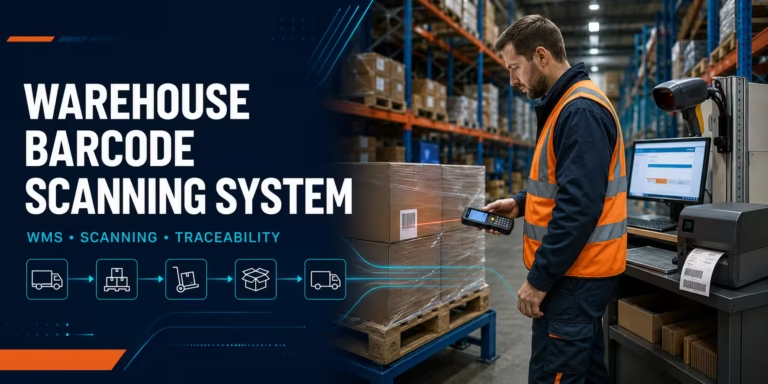
For the wider architecture—from labels and devices to WMS validation—use our warehouse barcode scanning system guide.
6. Make WMS feedback unambiguous
Successful warehouse picking needs two confirmations. First, the scanner confirms that it decoded a barcode. Second, the WMS confirms that the decoded value is correct for the active task. Configure audible, visual or haptic feedback so operators can distinguish a good scan, wrong location, wrong product, duplicate scan and lost connection.
A wearable scanner can make capture faster, but faster capture of the wrong item is not a benefit. The WMS should enforce process order, quantity rules and exception permissions. Test rapid consecutive scans and ensure a delayed message cannot be mistaken for the next transaction.
7. Plan batteries and charging for the real shift
Battery claims depend on scan frequency, wireless use, feedback settings, temperature and device age. Translate the manufacturer’s estimate into the site’s peak scans per hour and longest shift. Decide whether an integrated battery is acceptable or whether a removable battery is required for continuous operation.
Charging design includes more than buying a cradle. Calculate concurrent users, shift overlap, spare ratio, charging time and the location of chargers. Label devices and batteries if they are assigned. Include a check-in/check-out routine and quarantine damaged batteries. For cold areas, follow the manufacturer’s approved battery and charging temperature limits.
8. Verify ruggedness against the environment
Compare sealing, drop and tumble specifications with the actual site. Dusty mezzanines, refrigerated rooms, outdoor docks and clean packing areas do not need the same configuration. A rating applies to the tested device and conditions; it does not guarantee that every glove, strap, trigger, cable or charger has the same protection.
Also consider how the scanner is damaged in practice. Wearables can strike racks, become caught on packaging or fall during removal. Handhelds can be dropped onto concrete or from a vehicle. Review replacement parts, service agreements and spare devices as part of total cost.
9. Include hygiene and worker assignment
A device worn against the hand requires a cleaning and ownership policy. Decide whether each worker receives a personal mount or trigger while scanner bodies are shared. Verify cleaning agents against manufacturer guidance. Provide enough sizes and left/right configurations so employees are not forced into an uncomfortable setup.
Shift handover should include visual inspection, cleaning, battery status, pairing confirmation and damage reporting. A small process here prevents missing devices and avoids beginning a shift with an uncharged scanner.
Wearable scanner examples from AutoID Warehouse
The following examples illustrate different form factors and operating conditions. They are not interchangeable. Confirm the exact SKU, scan engine, mount, trigger, battery, charger, host compatibility and software before ordering.
Zebra RS2100: low-profile back-of-hand scanning
The Zebra RS2100 wearable scanner is designed around a low-profile, back-of-hand form factor that leaves the palm open. Zebra lists the scanner at approximately 31 g and positions it for picking in tight spaces. It pairs through Bluetooth with supported host devices and is appropriate when light weight and unrestricted product handling are higher priorities than extreme-range capture.
Because the battery is integrated, validate that its real shift endurance fits the scan volume and feedback settings. The wearing accessory is also part of the SKU decision; confirm left- or right-hand requirements. Technical details and supported options are available on the official Zebra RS2100 product page.
Zebra RS6100: rugged and extended-range options
The Zebra RS6100 targets demanding warehouse, manufacturing and cold-chain use. Zebra lists Bluetooth 5.2, NFC pairing, IP65 sealing and removable standard or extended batteries. Selected configurations use the SE55 Advanced Range scan engine, with published examples that cover nearby item codes and large rack labels at long distance. Actual range depends on code size, printing, contrast and ambient conditions.
The RS6100 supports several interchangeable wearing styles and can be configured for cold operation with the appropriate battery. It is a strong candidate for intensive case picking, forklifts and mixed-distance scanning, but its additional capability should be justified by the application. Consult the official Zebra RS6100 specification sheet and test the exact configuration.
ProGlove MARK Basic: lightweight wearable ecosystem
The ProGlove MARK Basic is a 1D/2D wearable scanner available with different scan-range options. ProGlove’s technical specification lists Bluetooth Low Energy, approximately 40 g for standard- and mid-range versions, IP54 protection and an estimated scan count that varies with application and environment. It can connect directly to supported hosts or through the ProGlove Gateway and software ecosystem.
This model is relevant when the project values a light glove-mounted design, managed configuration and a structured wearable workflow. Select the wearable, trigger and range for the actual pick task. See the official ProGlove MARK Basic technical specification.
ProGlove MARK with display: task feedback at the hand
The ProGlove MARK M006 adds an e-paper display in the listed configuration. A small display can provide immediate task information or confirmation without requiring the user to look back at another device for every event. Whether that improves the process depends on how much information is shown and how the WMS integration is designed.
Do not treat the display as a replacement for a full mobile computer. Confirm what the application can send to the scanner, how exceptions are represented and whether the worker still needs a larger screen or keyboard.
Unitech MS652+: two-finger Bluetooth ring scanning
The Unitech MS652+ is a two-finger Bluetooth 2D ring scanner with onboard memory and USB transfer capability. Unitech’s published brochure describes left- or right-hand adjustment, HID/SPP communication and operation with Windows, Android or iOS hosts. It is a practical compact option for general picking and inventory capture where its range and environmental rating fit the site.
The published IP42 seal and five-foot drop specification are lighter than the environmental protection offered by specialist rugged models. Use this distinction when comparing clean indoor picking with cold, wet or heavily industrial zones. See the official Unitech MS652+ brochure.
When a handheld scanner is still the better choice
Wearable technology is strongest when it supports a stable, repetitive task. A handheld scanner is often better when:
- scanning is only a small part of the shift;
- the same device moves between receiving, packing, inventory and quality checks;
- labels appear on several sides of mixed pallets;
- users frequently need to hand the scanner to another colleague;
- specialised DPM, high-density or very long-range scanning is required only occasionally;
- the process includes extensive keyboard or touchscreen input;
- the station already has a well-positioned scanner and both hands are not required during capture;
- cleaning, personal fit or wearable assignment would add more complexity than the workflow justifies.
For rugged manual capture, a family such as the Zebra DS3600-SR illustrates the handheld alternative. The specific handheld model and scan engine should be selected for the code, range and environment. Browse the wider wireless barcode scanner category when one device must cover mixed work.
How to calculate the business case
Compare the cost of completing a successful pick, not only the price of the scanner. A wearable deployment may require scanners, hand mounts, triggers, batteries, chargers, host computers, software, integration, spares, cleaning and support. A handheld deployment may have lower wearable-accessory complexity but more handling time in scan-intensive work.
Build the business case from observed data:
- Record order lines, scans and labour hours for the target zone.
- Measure the current pick cycle, including scanner retrieval and placement.
- Run the wearable pilot with the same product mix and WMS rules.
- Compare completed lines, errors, rework and worker feedback—not scans alone.
- Calculate annual time saved using loaded labour cost.
- Subtract software, support, accessories, loss, cleaning and replacement costs.
- Check whether the improvement remains during peak volume, new-user onboarding and battery ageing.
Do not assume all saved seconds become financial savings. The change must increase capacity, reduce overtime, avoid labour growth or improve another measurable outcome. Use the editable Warehouse Barcode System ROI Calculator to model the broader investment in euros.
Wearable scanner pilot checklist
Phase 1: baseline the existing workflow
- Observe several workers and shifts.
- Count scans per line and per hour.
- Record device pickup, placement and regripping.
- Separate travel time from scan-and-handle time.
- Document mis-picks, rescans, connection problems and damaged labels.
Phase 2: select representative devices
- Test at least the mount styles relevant to the users.
- Include left- and right-handed operators and real gloves.
- Match standard, mid or extended range to measured distances.
- Confirm the correct host, Bluetooth profile and WMS integration method.
- Include chargers, spare batteries and replacement wearables in the test.
Phase 3: test real warehouse conditions
- Use normal and difficult labels from the production environment.
- Test dense shelving, forklifts, mezzanines and wireless roaming.
- Run a full shift to reveal comfort and battery issues.
- Challenge lost connection, wrong-item and duplicate-scan scenarios.
- Verify audible, haptic and visual feedback in noisy zones.
Phase 4: measure and decide
- Compare lines picked per labour hour for equivalent work.
- Track pick accuracy and manual corrections.
- Record worker comfort by device, mount and task.
- Review support tickets, pairing failures and missing devices.
- Calculate payback using measured improvements and total deployment cost.
Common deployment mistakes
Buying the lightest scanner without testing the mount
A few grams matter in intensive use, but weight distribution, trigger force, strap pressure and scan angle can matter more. Test the complete wearable assembly.
Comparing scanner specifications without the WMS
The scanner can decode perfectly while the process still fails because feedback is delayed, task context is wrong or reconnect behaviour is unclear. Acceptance testing must include the application.
Using standard range for rack labels
A standard-range device may encourage unsafe reaching or unnecessary travel if location labels are high or distant. Measure reading distance before choosing the engine.
Ignoring batteries, chargers and shift overlap
A scanner that works for one demonstration hour can still fail during peak season. Plan for charging time, spares, battery ageing and cold environments.
Rolling out one mount to every worker
Hand size, handedness, gloves and task direction vary. Offer approved options and capture structured feedback during the pilot.
Measuring only scan speed
The goal is an accurate, completed warehouse transaction. Measure order lines, errors, rework, comfort, downtime and total cost rather than scans per minute in isolation.
Final recommendation
Choose wearable barcode scanners for warehouse picking when operators scan repeatedly, handle products between scans and benefit from keeping the hand available. The strongest use cases are high-volume piece picking, case picking, sortation and replenishment with a stable WMS workflow.
Choose a handheld scanner when work is varied, scanning is intermittent, devices must be shared easily or the operator needs maximum freedom to aim at unpredictable labels. Choose a mobile computer when the worker needs WMS screens, data entry, Wi-Fi and application processing in one device.
Many warehouses should use a mixed fleet: wearables in scan-intensive picking zones, mobile computers for directed workflows and handheld scanners at receiving, packing and exception stations. The correct combination is established through observation, application testing and a pilot with representative workers—not by a single headline productivity figure.
AutoID Warehouse can help compare ring scanners, back-of-hand models, handheld scanners and host computers; select scan range and accessories; and plan charging, integration and support for the complete warehouse workflow.
Request a wearable barcode scanner recommendation
Frequently asked questions
What is a wearable barcode scanner?
A wearable barcode scanner is a compact reader attached to a finger, hand, glove or wrist. It captures 1D/2D codes while remaining on the worker and usually sends the decoded data by Bluetooth to a mobile computer, tablet, phone or workstation.
Are ring scanners better than handheld scanners for warehouse picking?
Ring scanners are often better for frequent, repetitive picking because the worker does not repeatedly pick up and put down a scanner. Handheld scanners are usually more flexible for mixed tasks, intermittent scanning, shared workstations and exception handling. A pilot should compare completed lines, errors and comfort.
Does a ring scanner work without a mobile computer?
A ring scanner needs a host or receiving system. Depending on the model, it can pair with a mobile computer, wearable computer, tablet, smartphone, PC or dedicated gateway. Some scanners can buffer data temporarily, but the WMS workflow still needs a host and clear task context.
Can wearable scanners read both 1D and 2D barcodes?
Many current wearable imagers read common 1D and 2D symbols, including Code 128, Data Matrix, QR and PDF417. Confirm the exact model, scan engine, code size, print quality and required range. Scanner support does not replace correct GS1 data structure and WMS parsing.
Can a wearable scanner be used in cold storage?
Yes, if the scanner, battery, mount and host are rated for the required temperature and condensation conditions. Standard configurations may not support freezer operation. Test the complete system with real gloves and follow the manufacturer’s approved charging-temperature limits.
How should wearable scanners be cleaned and shared?
Follow the manufacturer’s cleaning guidance and approved agents. Many operations assign a personal glove, strap or trigger to each worker while sharing the scanner body. The shift process should include inspection, cleaning, battery status and pairing confirmation.
How many wearable scanner batteries are needed per user?
The answer depends on scan volume, shift length, feedback settings, temperature, battery age and whether the battery is removable. Test a full peak shift, then size chargers and spares for concurrent users and shift overlap. Do not rely only on a laboratory scan-count claim.
What should I test before buying wearable barcode scanners?
Test the real labels, reading distances, gloves, left- and right-hand fit, Bluetooth roaming, WMS feedback, battery endurance, cleaning process and wrong-item exceptions. Measure completed order lines, pick accuracy, user comfort, downtime and total deployment cost.