Barcode Scanner vs Mobile Computer: Which Is Better for Warehouse Operations?
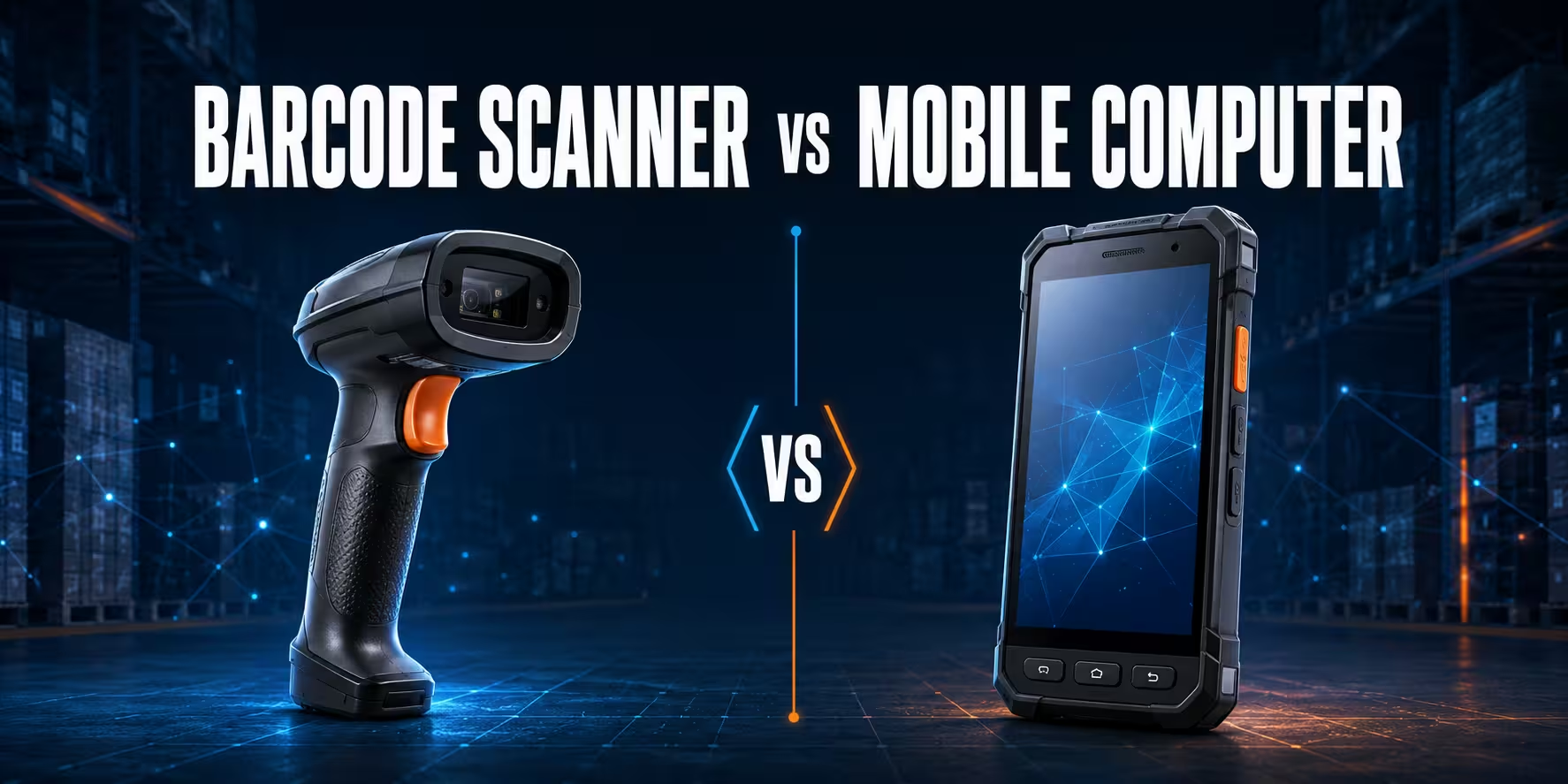
A barcode scanner and a mobile computer can read the same warehouse label, but they do not do the same job. A scanner captures a barcode and sends the decoded data to another device, such as a PC, point-of-sale terminal, tablet or mobile computer. A mobile computer combines scanning, a screen, an operating system, wireless connectivity and the warehouse application in one portable unit.
That distinction matters when you are planning receiving, put-away, replenishment, picking, packing, cycle counting or shipping. At a fixed packing bench, a reliable barcode reader may be the fastest and most economical choice. In an aisle where the operator must view tasks, confirm locations, enter quantities and update the WMS in real time, a handheld mobile computer is usually the better tool.
This guide compares a barcode scanner vs mobile computer by workflow, integration, mobility, cost, maintenance and user experience. The objective is not to declare one device universally better. It is to match each warehouse task with the simplest device that can complete the entire transaction accurately.
Need a quick recommendation? Choose a barcode scanner for a stable workstation where the business application already runs on a PC. Choose a mobile computer when the employee needs the application, instructions and scanning capability while moving. For mixed operations, deploy both and manage them as one warehouse barcode scanning system.
Request a device configuration for your warehouse workflow
Barcode scanner vs mobile computer: the short answer
| Decision point | Barcode scanner | Mobile computer |
|---|---|---|
| Primary role | Captures and transmits barcode data | Runs the workflow and captures barcode data |
| Screen and operating system | Usually none; depends on a host device | Integrated touchscreen or keypad with an enterprise operating system |
| Typical connection | USB, Bluetooth or proprietary cordless base | Wi-Fi, Bluetooth and, on selected models, cellular connectivity |
| WMS interaction | Indirect, through the connected PC, tablet or terminal | Direct, through a browser, native app, terminal emulation or middleware |
| Best work area | Receiving desks, packing benches, dispatch stations and fixed inspection points | Warehouse aisles, high-bay areas, yard operations and mobile inventory tasks |
| Data entry | Barcode input; other input happens on the host | Barcode, touchscreen, physical keypad, camera and optional accessories |
| Initial complexity | Lower when the workstation and software already exist | Higher because applications, Wi-Fi, security and device management must be planned |
| Best buying rule | Use when scan-to-host is the whole task | Use when the worker must complete a multi-step digital transaction on the move |
What is a barcode scanner?
A barcode scanner is a dedicated data-capture peripheral. Its scan engine illuminates or images the code, decodes the symbol and sends the resulting characters to a host system. In a simple USB keyboard-wedge configuration, the computer treats the scan much like keyboard input. In more controlled integrations, the scanner can use a serial, USB, Bluetooth or manufacturer-specific communication profile so the application can distinguish scanned data from manual entry.
The scanner does not normally decide whether the product belongs to the order or whether the quantity is correct. The software on the connected PC or terminal performs that validation. This is why a scanner can be extremely effective at a packing station: the employee is already in front of the application, display and printer. Adding a fast, ergonomic scanner completes the data-capture step without duplicating computing hardware.
Warehouse scanners range from economical corded readers to cordless and ultra-rugged models. The correct scan engine depends on the barcode type, label quality, reading distance and environment. A standard-range 2D imager is suitable for cartons and items within reach. An extended-range scanner is more appropriate for pallet labels and rack locations that must be read from a forklift or from the warehouse floor. Direct Part Marking applications require a specialised DPM-capable reader.
Where a barcode scanner performs best
- Receiving desk: the operator scans purchase orders, cartons and item labels into a desktop receiving screen.
- Packing bench: a connected scanner verifies items against an order while the PC controls the packing and shipping application.
- Dispatch station: the employee scans shipment, carrier and pallet identifiers before loading.
- Quality or inspection point: the scanner captures serial numbers or DPM codes while the host system records the result.
- Low-change workflows: the task consists mainly of scanning, with little need for on-device prompts or data entry.
For these applications, browse corded barcode readers for dependable fixed-station use or wireless barcode readers when the worker needs freedom around a pallet or packing area.
What is a mobile computer?
A warehouse mobile computer is a rugged handheld terminal that combines a barcode scan engine with a processor, memory, display, battery, wireless radios and an operating system. It can receive a WMS task, show the next location, scan the location and item, capture a quantity or exception, validate the transaction and send the result back to the system without returning to a desk.
That makes a mobile computer more than a scanner with a screen. It is the worker’s application endpoint. Depending on the project, it may run an Android application, a browser-based WMS, terminal emulation, voice-directed software or a manufacturer data-capture service that passes scanned data into approved apps. It can also support photos, signatures, proof of condition, NFC, GPS or cellular communication when those capabilities are part of the process.
Enterprise mobile computers are designed around long shifts and controlled fleets. Replaceable batteries, multi-slot charging cradles, physical keypads, pistol-grip options, protective sealing and remote device management can matter as much as processor speed. The device must still be usable with gloves, around concrete floors, inside cold areas or on a forklift, depending on the site.
Where a mobile computer performs best
- Put-away: the WMS directs the employee to a destination location and validates the pallet-to-bin movement.
- Order picking: the device displays the next task, quantity and exception options while the employee moves through the route.
- Replenishment: operators receive priorities and confirm both source and destination locations in real time.
- Cycle counting: the user follows a count list, records quantities and resolves discrepancies at the shelf.
- Yard and outdoor work: cellular-capable or suitably connected models can keep transactions moving beyond indoor Wi-Fi coverage.
- Exception-rich workflows: the employee must choose a reason code, enter a quantity, take a photo or contact a supervisor.
The operational difference: scan-to-PC vs real-time WMS workflow
The most useful comparison is not scanner hardware versus computer hardware. It is scan-to-PC versus complete task execution at the point of work.
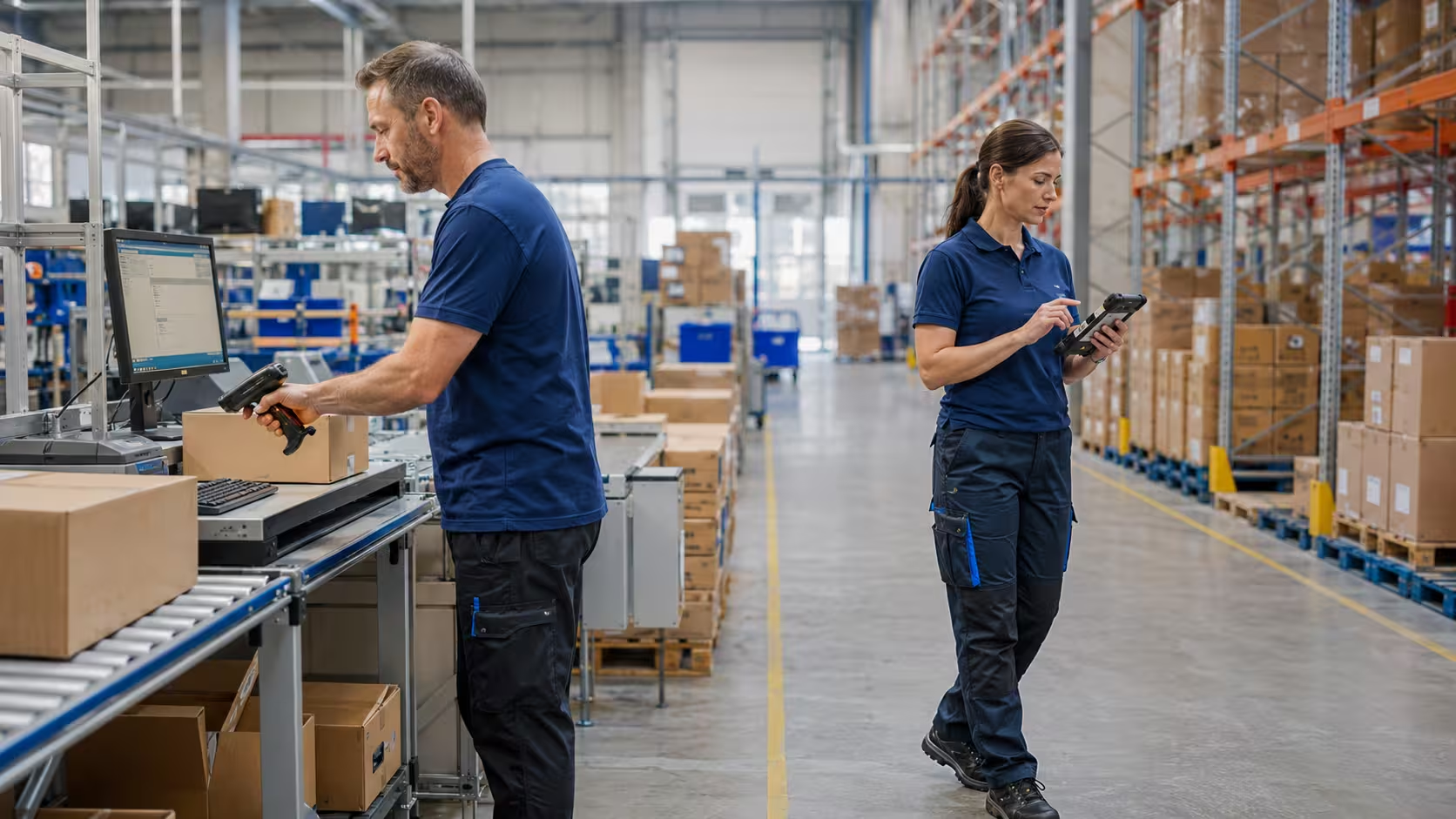
At a fixed packing station, a scanner can send a code into the active application field. The PC already provides a large display, keyboard, label printer connection and stable network access. The operator does not need another screen in the hand. A well-configured scanner can therefore be faster, lighter and easier to replace.
In a picking aisle, scan-to-PC becomes awkward because the employee is separated from the host. Pairing a Bluetooth scanner with a tablet can solve part of the problem, but it creates a two-device workflow: both units must be charged, paired, carried and supported. A mobile computer consolidates those functions in one industrial device and keeps the WMS prompt next to the scan point.
Real-time does not mean that every scan must be transmitted instantly under all conditions. Some warehouse applications can queue transactions during a short network interruption and synchronise later. However, offline behaviour must be designed explicitly. Teams should define which transactions may be cached, how conflicts are resolved and what the worker sees when confirmation from the WMS is unavailable.
Which device fits each warehouse process?
| Warehouse process | Recommended device | Why |
|---|---|---|
| Desk-based receiving | Barcode scanner | The operator already uses a PC to review purchase orders, quantities and supplier documents. |
| Receiving around pallets | Wireless scanner or mobile computer | Choose a scanner if the host remains nearby; choose a mobile computer if the worker must move between docks and staging lanes. |
| Put-away | Mobile computer | The worker needs destinations, confirmations and exception handling while travelling. |
| Piece or case picking | Mobile computer | The WMS can sequence tasks and validate location, item and quantity at the shelf. |
| High-rack scanning from a forklift | Extended-range scanner or vehicle/mobile computer | Reading distance, aiming visibility, mounting and the need for on-screen instructions determine the final configuration. |
| Packing and parcel verification | Barcode scanner | A fixed screen and printer are already part of the workstation, and scan speed is the main requirement. |
| Cycle counting | Mobile computer | Count lists, quantity entry and discrepancy handling must travel with the employee. |
| Conveyor or unattended scan point | Fixed industrial reader | Neither a handheld scanner nor a mobile computer is ideal for automated capture. |
If your project includes conveyor scanning, print-and-apply, label design or multiple device types, start with the broader warehouse barcode system deployment guide. For a deeper comparison of scan engines, reading distances and ruggedness, use the warehouse barcode reader buying guide.
Seven decision criteria that matter more than the product name
1. Does the worker need to see or change information?
If the task is simply “scan this carton into the open field,” a scanner is sufficient. If the employee must see the next location, check a product image, enter a partial quantity, choose a reason code or receive a warning, the workflow needs a display and application. A mobile computer is usually the cleaner solution.
2. How far does the worker move from the host?
A corded scanner is predictable at a bench. A cordless scanner can cover the working area around a station or pallet, subject to the radio design and obstacles. When movement extends through aisles, mezzanines, loading docks or yards, the device should carry its own application and network connection. Map the real route before selecting hardware; a specification-sheet radio range does not describe a warehouse filled with steel racking and inventory.
3. What must be scanned?
Confirm the barcode symbologies, label size, print quality, surface, distance and orientation. GS1 notes that barcodes can carry identifiers for products, shipments and locations as well as attributes such as serial, batch and date data. The reader must support the actual data carrier and application syntax used in your operation. See the official GS1 barcode overview when planning standardised identification.
Both product families can offer 1D/2D imaging, standard-range and extended-range options. The form factor alone does not guarantee performance. Test your smallest, largest, most damaged and most distant labels with the exact scan engine under operational lighting.
4. What happens after the scan?
Document the complete transaction, not just the trigger pull. Does the application automatically submit the code? Must it parse a GS1-128 string? Is a quantity requested? Should the user hear a good-read tone only after WMS validation? Can the same item be scanned twice? A fast scan that enters the wrong field or bypasses validation creates faster errors.
5. What environment must the device survive?
Review drop height, tumble resistance, dust and water sealing, operating temperature, cleaning requirements and glove use. Ultra-rugged equipment costs more, but a consumer-style device can become expensive when concrete drops, forklift vibration or cold storage are routine. For example, Zebra specifies dual IP65/IP68 sealing and a 3 m drop-to-concrete rating for its DS3600-SR ultra-rugged scanner. Treat those figures as model-specific, not as assumptions for every scanner.
6. How will IT deploy and support the fleet?
A scanner may require firmware, configuration profiles and asset tracking, but a mobile computer adds operating-system updates, application deployment, certificates, Wi-Fi profiles, security policies and user access. For more than a small number of terminals, plan staging and enterprise mobility management from the start. Also standardise cradles, spare batteries, cables and replacement pools so a failed device does not stop a shift.
7. What is the total cost per completed task?
Purchase price is only one line in the calculation. Compare the full cost of the working configuration:
- device, cradle, cable, power supply, battery and protective accessories;
- host PC or tablet required by a standalone scanner;
- WMS licences, application development and middleware;
- Wi-Fi surveys, network improvements and device management;
- staging, training, spares, repairs and battery replacement;
- time lost to walking back to a workstation, re-pairing devices or correcting errors.
A scanner usually wins on initial cost when a workstation already exists. A mobile computer can win on operational cost when it removes travel, paper, delayed updates or double entry. Calculate cost per transaction or per worker-hour over the expected service life rather than comparing two unit prices.
Product examples for warehouse configurations
The following examples show how product classes map to workflows. Always confirm the exact part number, interface, scan engine, keypad, regional configuration and included accessories before ordering.
Zebra DS3600-SR: rugged standard-range scanning
The Zebra DS3600-SR barcode reader is a strong fit for demanding receiving, packing and manufacturing stations where workers scan 1D/2D labels within normal reach. Corded DS3608 and cordless DS3678 configurations allow the project to match the station layout. It is a scanner, so it still needs a host application.
Zebra DS3600-XR: extended-range warehouse scanning
For operations that must capture codes from very near to high rack locations, consider the Zebra DS3600-XR industrial reader. It can suit forklift, pallet and high-bay workflows when the employee already has access to a vehicle terminal or other host. If the operator also needs portable WMS instructions, compare it with a mobile computer equipped with an extended-range engine.
Zebra MC3400: versatile key-based warehouse mobility
The Zebra MC3400 mobile computer range is designed for modern warehouse and industrial workflows that benefit from a physical keypad and a choice of straight-shooter or gun form factors. Zebra lists Wi-Fi 6E, optional 5G on the MC3450 family and multiple scan-engine choices for the series. Review the current official MC3400 Series information and match the exact configuration to your range and connectivity requirements.
Zebra MC9400/MC9450: ultra-rugged mobility for demanding sites
The Zebra MC9400 range targets heavy-duty warehouse, manufacturing, port and yard environments. Zebra’s official MC9400/MC9450 specification sheet highlights Wi-Fi 6E, 5G availability in the family and advanced scanning options. This class makes sense when uptime, ruggedness, long-range capture and a managed application platform justify the investment.
These products illustrate the decision, but they are not the only choices. AutoID Warehouse also supplies devices from Honeywell, Datalogic, Unitech, M3 Mobile and other enterprise manufacturers. Compare the full barcode reader catalogue and mobile computer catalogue by workflow and supported configuration.
When the best answer is both
Many efficient warehouses do not standardise on one device type for every worker. They standardise the data and application rules, then use different endpoints at different process steps.
A practical hybrid configuration might include corded scanners at packing benches, cordless scanners at receiving stations, mobile computers for put-away and picking, extended-range devices on forklifts and fixed industrial readers on conveyors. Every scan should still use the same location scheme, item identifiers, validation rules and event structure.
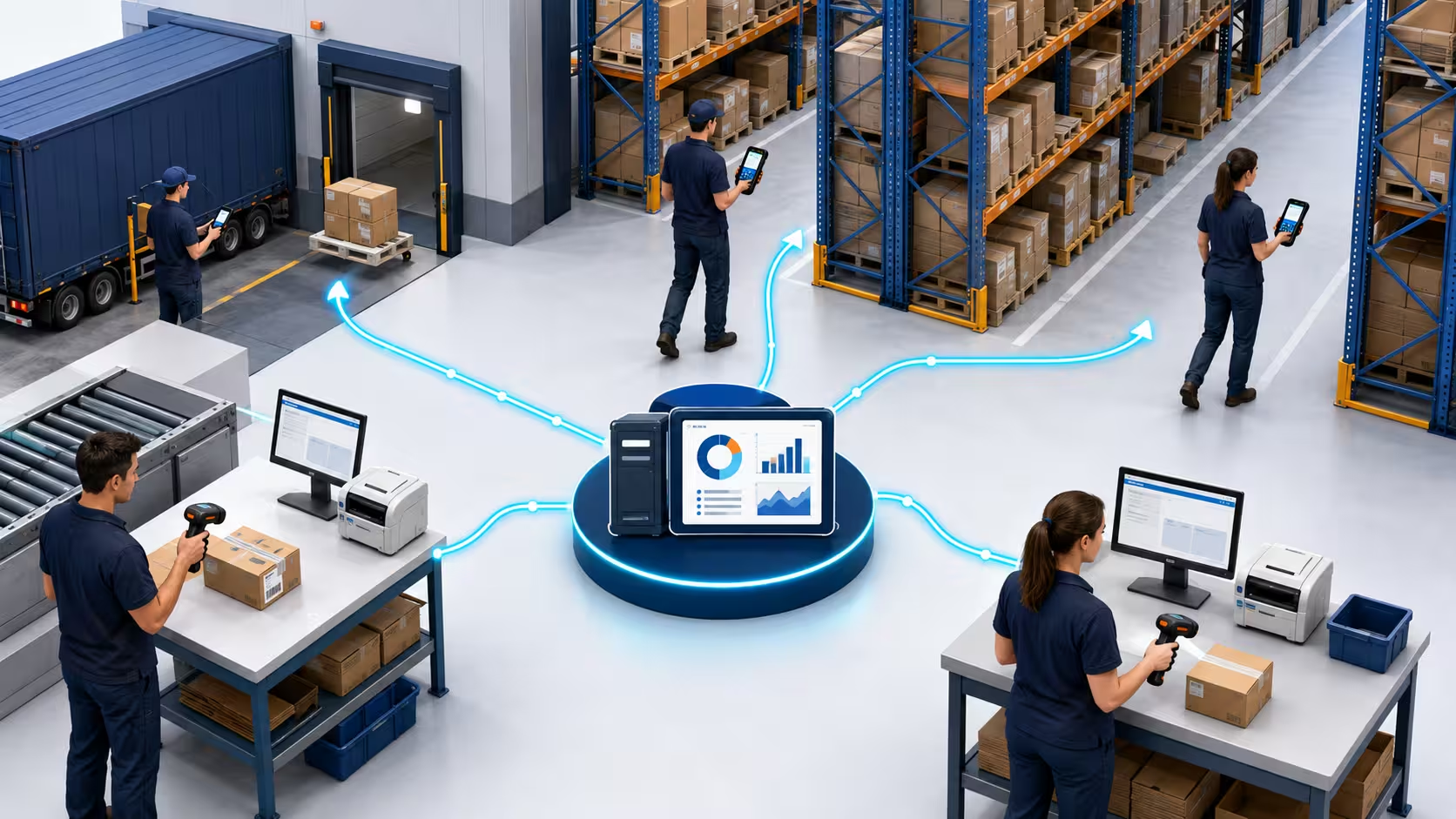
The benefit of this approach is not variety for its own sake. It avoids paying for computing power where a simple peripheral is enough, while giving mobile employees the tools needed to complete work without paper or repeated trips to a desk. The trade-off is a broader support catalogue, so accessories, configurations and replacement procedures must be documented carefully.
Deployment checklist
- Map each transaction. Record where it starts, what is scanned, what the user sees, what they enter and what confirms success.
- Separate fixed and mobile work. Mark the distance from the host, travel path and need for on-device instructions.
- Collect real barcode samples. Include damaged, reflective, small, dense, long-range and supplier-generated labels.
- Confirm integration mode. Decide whether scanning uses keyboard wedge, Bluetooth HID, serial communication, an SDK, browser input, DataWedge-style services or a native application.
- Survey coverage. Test Wi-Fi and roaming in aisles, docks, cold rooms, mezzanines and yards—not just in the office.
- Build the full bill of materials. Include cradles, cables, power supplies, batteries, holsters, pistol grips, mounts, screen protection and spares.
- Define security and management. Plan enrolment, user access, certificates, OS updates, application versions and lost-device actions.
- Pilot one real shift. Measure scan success, transaction time, walking, battery use, Wi-Fi handoffs and exception handling.
- Train for feedback, not only operation. Workers should recognise the difference between a successful decode and an accepted WMS transaction.
- Review after launch. Track mis-scans, duplicate scans, device downtime, repair frequency and time per completed task.
Common selection mistakes
Buying a mobile computer when a scanner would complete the task
A large screen and modern operating system do not automatically improve a fixed packing station. If the employee already has a well-positioned display and the application only needs barcode input, a dedicated scanner is simpler to stage, use and replace.
Pairing two consumer devices to imitate one enterprise terminal
A Bluetooth scanner and phone can work for light-duty or occasional tasks. In a high-volume warehouse, however, pairing, charging, carrying and protecting two devices may create more interruptions than it solves. Test the complete shift, including reconnection after breaks and battery swaps.
Choosing by scan distance alone
Long-range capability is useful only when the aiming system, barcode size, worker position and application prompt support it. A high-rack label that is technically readable may still be operationally difficult to select among neighbouring labels. A proof-of-concept in the real aisle is essential.
Confusing a successful decode with a successful transaction
The scan beep confirms that the device read something. It does not necessarily confirm that the WMS accepted the correct item, location and quantity. Use distinct audio, visual or haptic feedback for decode, validation success and error conditions.
Ignoring labels and printing
Even the best scanner cannot compensate for every poorly designed or damaged label. Review print quality, quiet zones, contrast, size, placement and media durability. If label output is part of the problem, use the warehouse barcode printer solutions guide alongside the device selection process.
Final recommendation
Choose a barcode scanner when the employee works at or near an existing computer and the main requirement is fast, dependable barcode input. Choose a mobile computer when the employee needs to carry the WMS workflow through the warehouse, view instructions, enter information, handle exceptions and confirm transactions in real time.
For most medium and large sites, the strongest architecture is hybrid: scanners at stable workstations and mobile computers for movement-driven tasks. Standardise identifiers, feedback and WMS validation across both device types, then select ruggedness, scan range, connectivity and accessories for each location.
Choose devices around your real warehouse workflow
Send AutoID Warehouse your barcode samples, WMS or ERP platform, working distances, environment, shift length and number of users. We can help you compare scanners, mobile computers, cradles, batteries and scan engines as one deployable solution.
Request a tailored warehouse data-capture quote or explore our warehouse and logistics solutions.
Frequently asked questions
Is a barcode scanner the same as a mobile computer?
No. A barcode scanner captures and sends barcode data to a host device. A mobile computer includes a scanner, screen, operating system, battery, wireless connectivity and the application needed to complete a warehouse transaction.
Does a mobile computer need a separate barcode scanner?
Usually not. Most warehouse mobile computers have an integrated scan engine. A separate ring or handheld scanner may still be paired when hands-free use, different ergonomics or a specialised reading range is required.
Which is cheaper: a barcode scanner or a mobile computer?
A barcode scanner normally has a lower unit price. The correct comparison includes the host PC or tablet, accessories, software, support and labour. A mobile computer may reduce operational cost when it eliminates walking, paper and delayed data entry.
Which device is better for WMS integration?
Both can integrate with a WMS. A scanner sends data through the connected host, while a mobile computer can run the WMS application directly. The mobile computer is generally better for mobile, multi-step workflows; the scanner is efficient at a fixed workstation.
Can a barcode scanner connect to a mobile computer?
Yes. Compatible Bluetooth or enterprise scanners can pair with a mobile computer when a ring scanner, extended-range reader or alternative form factor improves the task. Confirm supported profiles, pairing procedures and application behaviour before deployment.
Should a warehouse use wired or wireless barcode scanners?
Use a wired scanner when the employee remains at one station and uninterrupted connectivity is the priority. Use a wireless scanner when the employee needs to move around a pallet, trolley or work cell but can remain within range of the host.
What specifications matter most for a warehouse mobile computer?
Prioritise scan engine and range, ruggedness, battery strategy, form factor, keypad or touchscreen usability, Wi-Fi roaming, cellular requirements, operating-system support, device management and compatibility with the WMS application.