







Touchscreen Monitor 22″ Full HD PCAP 10 Touch, IPS, Touch Through Glass, IP65 – iiyama T2234MSC-B1S
537,56 € 520,45 € incl. TVA
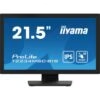
IIYAMA T2234MSC-B1S 21.5” Full HD touchscreen monitor with 10 touch points, IPS technology, Touch-Through-Glass function and anti-fingerprint coating. Ideal for retail, digital signage and interactive applications in demanding environments.

Only logged in customers who have purchased this product may write a review.
Product description
IIYAMA ProLite T2234MSC-B1S – 21.5” IPS, 10-touch PCAP touch monitor, edge-to-edge glass, anti-glare (black)
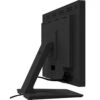
iiyama ProLite T2234MSC-B1S is a 21.5” Full HD touch monitor designed for fast and natural interactions in retail/POS, reception, front-desk, education or offices. The IPS panel offers accurate colors and wide viewing angles, and the 10-touch PCAP delivers precise touch, with palm-rejection and fluid gestures. The edge-to-edge glass with anti-glare treatment reduces reflections and is easy to clean, and the HDMI + DisplayPort plus USB for touch (HID) connectivity makes it easy to integrate into any setup. The stand allows tilt +90° / –5°, ideal for signatures at the counter.
Why choose T2234MSC-B1S
- 10-point “smartphone-like” touch: PCAP with fast response and palm-rejection.
- Stable image on IPS Full HD: fine text, uniform colors, 178°/178° viewing angles.
- Edge-to-edge anti-glare glass: low reflections, easy-to-clean surface.
- Modern connectivity: HDMI + DisplayPort, USB for touch, audio-out, integrated speakers.
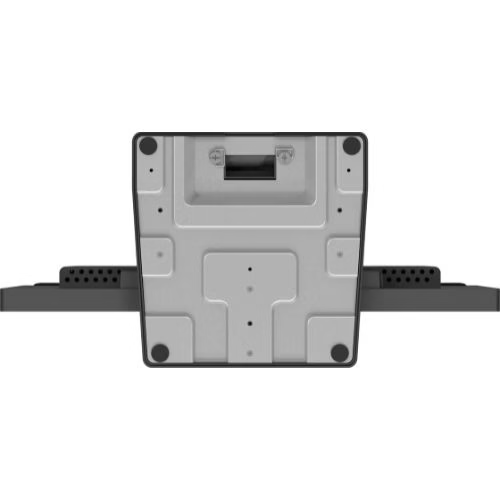
- Front-desk ergonomics: tilt +90°/–5°, VESA 100×100, cable management.
- Comfort & safety: Flicker-Free, Blue Light Reducer, OSD key-lock for public spaces.
Recommended scenarios
- Retail & POS: digital signatures, forms, customer surveys, interactive catalogs.
- Reception & hospitality: check-in/out, self-service info-desk, wayfinding.
- Education & office: whiteboard, document annotations, hands-on training.
- Control & creation: preset panels, playback, timelines “on the desk”.
Technical specifications
| Section | Specifications |
|---|---|
| Model | ProLite T2234MSC-B1S |
| Panel / Image | 21.5” (54.6 cm) • IPS • 1920×1080 @60 Hz (16:9) • panel brightness ≈250 cd/m² (slightly lower with touch layer) • contrast ≈1000:1 • response time ≈5 ms GTG • angles 178°/178° • edge-to-edge glass with anti-glare |
| Touch | Projected Capacitive (PCAP) • 10 points (HID) • palm-rejection • methods: capacitive stylus, finger, glove (latex) • USB interface for touch |
| Inputs / Outputs | HDMI ×1 • DisplayPort ×1 • Audio-out 3.5 mm ×1 • USB (touch) ×1 • integrated speakers • HDCP: Yes |
| OSD & Comfort | Blue Light Reducer, Flicker-Free, i-Style/Advanced Contrast, OverDrive, X-Res • OSD key-lock, DDC/CI, Plug&Play DDC2B |
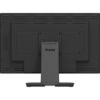
| Ergonomics & Mounting | Tilt: +90° / –5° • Landscape / face-up • VESA 100×100 mm • cable management |
| Power & Consumption | Internal power supply • AC 100–240 V, 50/60 Hz • typical consumption ≈13–18 W, ≈0.5 W stand-by |
| Dimensions & Weight | ≈493 × 362 × 240 mm (W×H×D, with stand) • weight ≈4–5 kg |
| In the box | Power cable, USB (touch), HDMI, cable management cover, startup & safety guide |
| Compliance | CE, EAC, RoHS, ErP, WEEE, REACH, UKCA • ready Kensington-lock |
“PCAP 10-touch + edge-to-edge anti-glare glass = natural signatures and a clean and fast front-desk experience.”
Benefits at a glance
- Precise touch for signatures and forms.
- Full HD IPS with excellent visibility.
- Clean setup: HDMI + DP, USB touch, audio-out, integrated speakers.
- Flexible mounting: tilt +90°/–5°, VESA 100×100.
- Safe in public: OSD/port lock, Flicker-Free & Blue Light Reducer.
Frequently Asked Questions (FAQ)
1) Does it work with gloves?
Yes, with latex glove, in addition to capacitive stylus and finger.
2) Reduces reflections?
Yes, anti-glare reduces the glare effect in ambient light.
3) Does it have a USB hub?
Peripherals connect to the PC; the monitor offers USB for touch (HID).
4) Can it be mounted on VESA?
Yes, VESA 100×100 mm for wall, arm or stand.
5) What is the tilt angle?
+90° / –5°, ideal for signatures at the counter.
6) What is its consumption?
Around 13–18 W, efficient for daily use.
7) Does it have speakers?
Yes, enough for basic multimedia and notifications.
8) Is it suitable for intensive use?
Yes, it has visual comfort and OSD key-lock functions for public spaces.

Reviews
There are no reviews yet.