
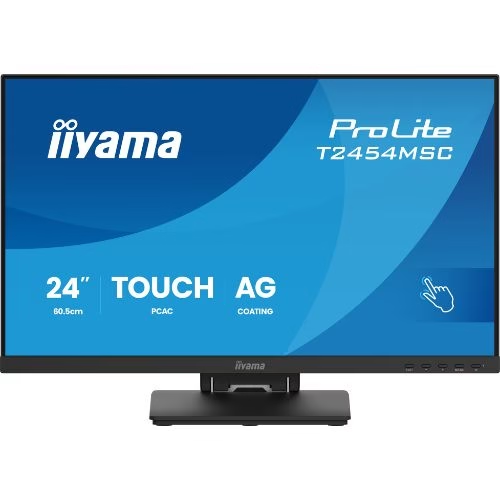


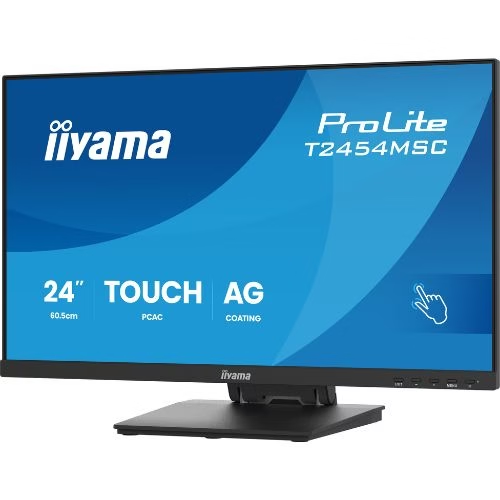

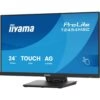


Touch Monitor 24″ Full HD, InCell PCAP, IPS, Anti-Glare, HDMI/DP/USB – iiyama T2454MSC-B3AG
382,36 € incl. VAT
IIYAMA T2454MSC-B3AG 24″ touchscreen monitor with InCell PCAP technology and Full HD IPS panel offers fast touch response, vibrant colors and modern design with anti-glare coating. Ideal for POS, interactive signage, retail and busy commercial spaces.

IIYAMA ProLite T2454MSC-B3AG – 23.8” Touch Monitor, IPS 100Hz, 10-touch PCAP with optical bonding, edge-to-edge anti-glare/anti-fingerprint glass, MPP 2.0 active stylus support (black)
iiyama ProLite T2454MSC-B3AG is a 23.8” Full HD 100Hz touch monitor designed for fast and natural interactions in retail/POS, reception, education and front-desk. PCAP 10-touch technology with optical bonding reduces reflections and parallax, and the edge-to-edge glass has anti-glare and anti-fingerprint treatment for an always-clean surface. The MPP 2.0 active stylus support (with tilt) offers paper-like writing, ideal for digital signatures, annotations and sketches. Modern connectivity (HDMI, DisplayPort, USB 3.2 hub) and front-desk-oriented ergonomics transform the T2454MSC into a complete touch solution, ready for intensive use.
Why choose T2454MSC-B3AG
- IPS 100Hz: smoother scrolling and animations than 60Hz.
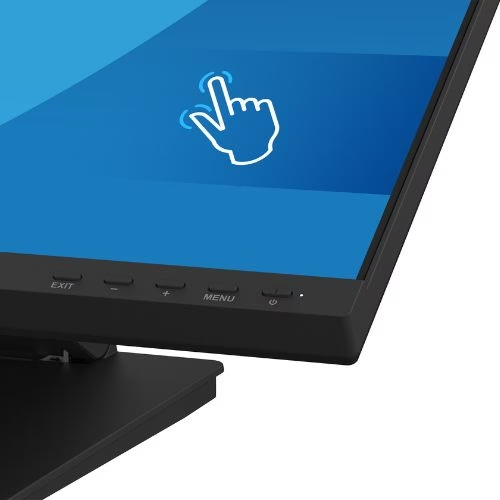
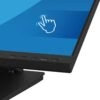
- PCAP 10-touch + optical bonding: high precision, minimal parallax, palm rejection.
- MPP 2.0 active stylus: write/draw with tilt and fine sensitivity.
- 7H edge-to-edge glass: anti-glare/anti-fingerprint layer – easy to clean.
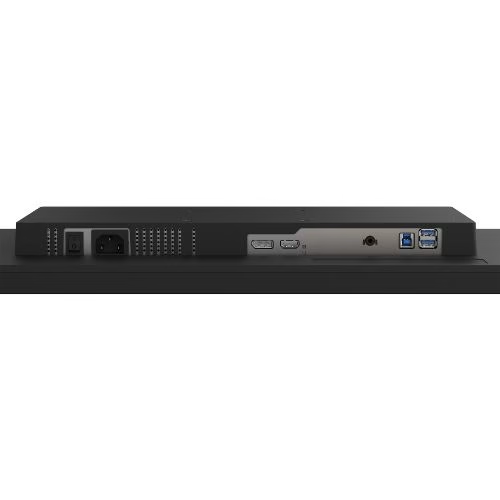
- USB 3.2 (x2) + HDMI/DP hub: tidy setup, peripherals directly in the monitor.
- Ready for public spaces: OSD key-lock, kiosk mode, Flicker-Free & Blue Light Reducer.
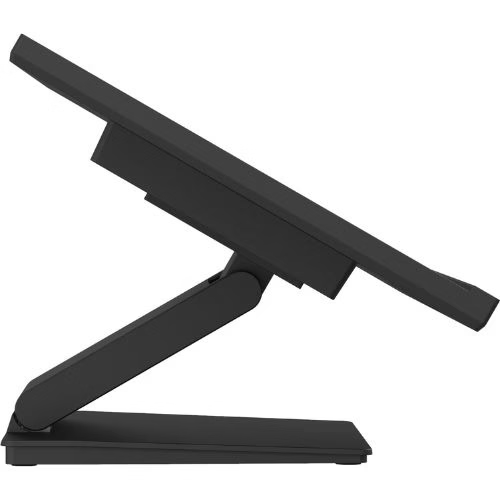
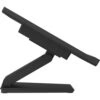
- Counter ergonomics: wide tilt for signature and VESA 100×100 mounting.
Recommended scenarios
- Retail & POS: digital signature, forms, questionnaires, interactive catalogs.
- Reception & hospitality: check-in/out, info-desk, wayfinding at the counter.
- Education & office: whiteboard, annotations on materials, hands-on training.
- Health & public: patient registration, self-service counters, desk kiosks.
Technical specifications
| Section | Specifications |
|---|---|
| Panel / Image | Diagonal 23.8” (60.5 cm) • IPS LED • 1920×1080 @100Hz (16:9) • brightness ≈300 cd/m² • contrast ≈1300:1 • response time ≈4 ms GTG • viewing angles 178°/178° • 16.7 million colors • Anti-Glare finish • matte black frame, edge-to-edge glass |
| Touch | PCAP 10-point (HID) • optical bonding • palm rejection • methods: capacitive stylus, finger, glove (latex) • USB interface • MPP 2.0 active stylus compatible (tilt) |
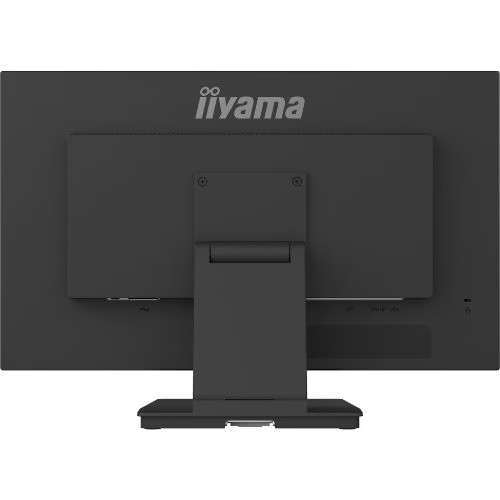
| Inputs / Outputs | HDMI ×1 • DisplayPort ×1 • USB Hub ×2 (USB 3.2 Gen1) • Audio-out 3.5 mm ×1 • integrated speakers (≈2×2 W) • HDCP: Yes |
| OSD Functions & Comfort | Blue Light Reducer, Flicker-Free, Overdrive, X-Res, i-Style Color • OSD key-lock • Kiosk mode • DDC/CI, Plug&Play DDC2B |
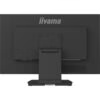
| Ergonomics & Mounting | Tilt +90° / –5° (comfortable signature) • VESA 100×100 mm • cable management |
| Power & Consumption | AC 100–240 V, 50/60 Hz • typical consumption ≈15–18 W • stand-by ≈0.5 W |
| Dimensions & Weight | W×H×D (with stand) ≈552 × 400 × 240 mm • weight ≈4–6 kg |
| In the box | Power cable, USB, HDMI, cable management cover, startup & safety guide |
| Compliance | CE, EAC, RoHS, ErP, WEEE, REACH, UKCA • REACH SVHC: Pb >0.1% |
Benefits at a glance
- 100Hz + IPS for smooth interactions and stable colors.
- Premium touch: 10-point, optical bonding, palm-rejection.
- MPP 2.0 stylus for pen-on-paper signature/annotation.
- Clean setup with USB hub and cable management.
- Safe in public spaces: OSD/Kiosk lock, 7H glass.
FAQ (FAQ)
1) Can I use an active stylus?
Yes, the model is MPP 2.0 compatible and recognizes tilt.
2) How does 100Hz help me on a touch monitor?
It offers smoother scrolling and animations, with lower perceived latencies in the UI.
3) Does touch work with gloves?
Yes, with latex glove, as well as with capacitive stylus and finger.
4) Can I lock the menu in public spaces?
Yes, you have OSD key-lock and kiosk mode.
5) What ports does it have?
HDMI, DisplayPort, USB for touch + USB 3.2 hub (x2) and audio-out.
6) Can it be mounted on an arm/wall?
Yes, VESA 100×100 mm compatible.
7) What is the typical power consumption?
Approx. 15–18 W, efficient for heavy daily use.
8) Does it come with all the essential cables?
Yes – power, USB and HDMI, plus cable management cover.
Only logged in customers who have purchased this product may write a review.

Reviews
There are no reviews yet.