






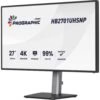




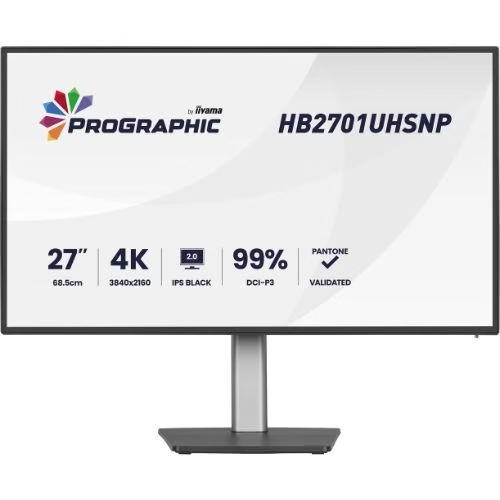
Monitor 27″ 4K UHD HB2701, IPS Black 2.0, USB-C 96W, KVM, RJ45, HDR400, Pantone Validated – iiyama HB2701UHSNP-B1
804,65 € incl. VAT
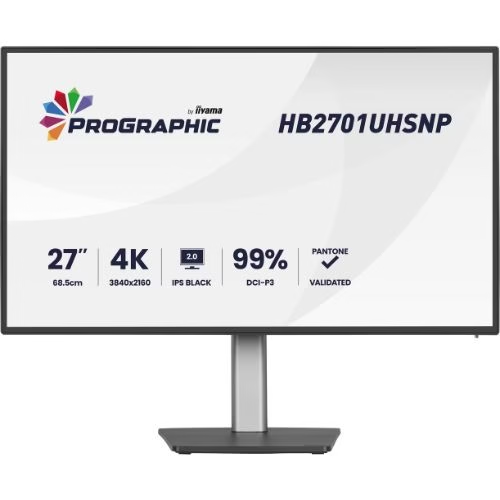
iiyama ProGraphic HB2701UHSNP-B1 professional monitor, 27″ 4K IPS Black 2.0, 99% DCI-P3, Pantone Validated, AGLR, HDR400, USB-C dock 96W with LAN, KVM and DP daisy-chain, ideal for design, photo and content creation.

Professional Monitor 27″ 4K IPS Black, Pantone, USB-C 96W & KVM – iiyama ProGraphic HB2701UHSNP-B1
iiyama ProGraphic HB2701UHSNP-B1 is a professional 27″ 4K UHD monitor specially designed for designers, photographers and content creators who want to see every detail exactly as they intended. It combines a top-of-the-line IPS Black 2.0 panel, advanced color calibration, Pantone Validated certification and an extremely powerful USB-C dock – all in a 4-side edge-to-edge, nearly bezel-less design.
The IPS Black 2.0 panel takes IPS contrast to the next level: you get a 3000:1 ratio, with deeper blacks and much more detailed shadows. This means you see the fine nuances in dark areas, subtle transitions and “micro-details” that matter a lot in photo editing or video grading right away. Instead of constantly adjusting the image to “pull out” details, you already see them displayed correctly.
The monitor covers 99% of the DCI-P3 color space and 100% sRGB, with support for 1.07 billion colors and Delta E < 2, so the differences between what you see on the screen and the final result (print, web, video) are minimal. Pantone Validated certification gives you the assurance that Pantone colors are faithfully reproduced, which is essential for visual identities, packaging, printed materials and projects where brand colors are not negotiable.
The AGLR (Anti-Glare Low Reflective) layer and anti-glare coating drastically reduce reflections, whether you’re working in a bright studio or an office with large windows. The 450 cd/m² brightness and HDR400 certification help reproduce highlights and high-contrast scenes, so you can better evaluate the image in real-world usage contexts.
On the connectivity side, the HB2701UHSNP-B1 is a true productivity hub. The USB-C port with 96W Power Delivery allows you to connect your laptop with a single cable – 4K image, data, network and charging up to 96W. Basically, the monitor becomes your docking station:
- USB-C (PD 96W) – video + power + data
- Integrated RJ45 LAN – stable network connection via the same USB-C cable
- 4-port USB hub – 3 x USB-A 3.2 Gen1 for peripherals and 1 x additional USB-C for devices and accessories.
You also have HDMI 2.0 and DisplayPort 1.2, and through DisplayPort-out with MST (daisy-chain) you can connect a second monitor directly to the HB2701, without cluttering your laptop or graphics station with adapters. For photo/video editing on two screens or extended layouts, setup becomes very simple.
Another major advantage is the integrated KVM switch. You can connect two systems (e.g. work laptop + personal PC) and use the same mouse, keyboard and other USB peripherals. Change the video source from the menu, and the KVM automatically switches the peripherals – no more moving cables or keeping two sets of peripherals on your desk.
For multi-source work, the monitor also offers PiP/PbP (Picture-in-Picture / Picture-by-Picture) modes. You can display two sources simultaneously on the same screen: either one in a smaller window, or two adjacent areas – very useful for comparing images, previewing between two streams or monitoring in parallel.
On the ergonomic side, the ProGraphic HB2701UHSNP-B1 is designed to sit on your desk for hours without discomfort:
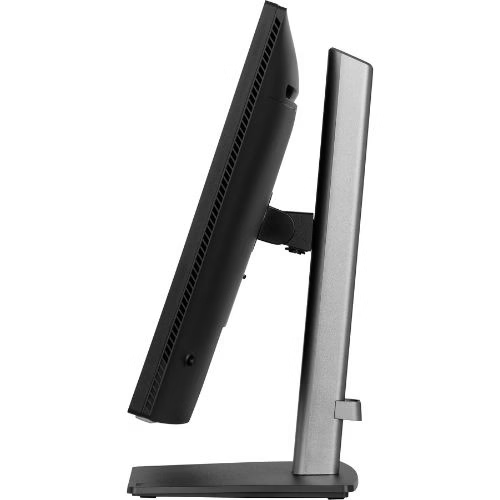
- 150 mm height adjustment
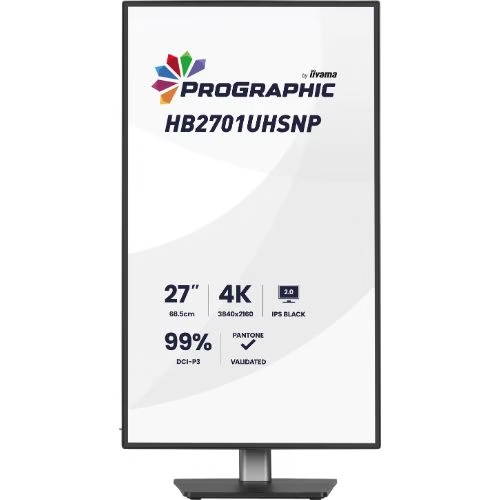
- 90° pivot (portrait – perfect for vertical layouts, code, long documents)
- 360° swivel (180° left / 180° right)
- 23° tilt up / 5° down
The very thin bezel design on all four sides is ideal if you want to build multi-monitor configurations with almost invisible edges. The cable management system in the stand helps maintain a clean setup, worthy of a professional studio or office.
For eye comfort, the monitor includes Low Blue Light Panel, Flicker Free technology, Eyesafe® certification, and EyeComfort mode, so you can work longer with reduced eye fatigue – an essential detail during long editing days. The integrated 2 x 2W speakers are sufficient for calls, video previews, or tutorials, and the headphone output allows you to quickly switch to working with headphones when you need maximum focus.
It consumes only 27W (typical), has an internal power supply, energy classification class G (EU 2017/1369) and comes with all the necessary cables in the box: power, USB, HDMI, DisplayPort, USB-C. In short, if you need a 27″ 4K IPS Black monitor, focused on accurate color and professional workflow, with 96W USB-C dock, KVM, LAN and complete ergonomics, the iiyama ProGraphic HB2701UHSNP-B1 is an extremely solid solution for demanding studios, agencies, freelancers and content creators.
Technical specifications
| Parameter | Value |
|---|---|
| Model | iiyama ProGraphic HB2701UHSNP-B1 |
| Range | ProGraphic – Desktop Monitors |
| Screen diagonal | 27″, 68.5 cm |
| Panel technology | IPS Black 2.0, matte finish, AGLR (Anti-Glare Low Reflective) |
| Case design | 4-side edge-to-edge, ultra-thin bezel |
| Resolution native | 3840 x 2160 @ 60Hz (4K UHD, 8.3 megapixels) |
| Aspect ratio | 16:9 |
| Panel brightness | 450 cd/m² |
| Static contrast | 3000:1 |
| Advanced contrast (ACR) | 80,000,000:1 |
| Response Time (GTG) | 4 ms |
| Viewing Angle | 178°/178° (Right/Left 89°/89°, Up/Down 89°/89°) |
| Color Support | 1.07 billion, DCI-P3 99%, sRGB 100%, NTSC 72% |
| Delta E | < 2.0 |
| HDR | HDR400 |
| Viewable Area (W x H) | 596.7 x 335.7 mm, 23.5 x 13.2″ |
| Pixel Pitch | 0.155 mm |
| Casing Color | Black, Matte |
| Video Inputs | 1 x HDMI 2.0, 1 x DisplayPort 1.2 |
| USB-C input | 1 x USB-C (Power Delivery 96W, video + data) |
| Video output | 1 x DisplayPort (MST Daisy Chain, max. 2560 x 1440) |
| USB HUB | 4 x USB (3 x USB-A 3.2 Gen1 5Gbps/4.5W, 1 x USB-C 5Gbps/15W) |
| USB-C DOCK | 1 x USB-C dock (PD 96W, LAN, DP out – limited DP out functions on Mac, USB 3.2 Gen1 5Gbps) |
| LAN connector | 1 x RJ45 (LAN) |
| KVM switch | Yes, peripheral switching between HDMI/DP/USB-C |
| Headphone jack | Yes, 3.5mm jack |
| Built-in speakers | 2 x 2W |
| HDCP compatibility | Yes |
| Visual comfort technologies | Low Blue Light Panel, Blue Light Reducer, Flicker Free, EyeComfort, Eyesafe® Certified |
| Image Functions | i-Style color, 6-axis color, ACR, Eco, OD, gamma, HDR, color space, RGB range, temperature, user preset |
| PiP/PbP features | PiP/PbP, sub source, PiP position, PiP size, swap, audio input |
| OSD Languages | EN, DE, FR, ES, IT, RU, JP, CZ, NL, PL, UA |
| OSD Controls | Joystick/Power: Up/Input Select, Down/Shortcut, Right/Shortcut, Left/Shortcut |
| Extra Features | Kensington-lock ready, DDC/CI, DDC2B |
| Screen Position Adjustments | Height, swivel, tilt, pivot (rotation in both directions) directions) |
| Height adjustment | 150 mm |
| Pivot (rotation) | 90° (portrait/landscape mode) |
| Swivel | 360° (180° left / 180° right) |
| Tilt angle | 23° up; 5° down |
| Management system cables | Yes |
| VESA mount | 100 x 100 mm |
| Cables included | Power cable (1.8 m), USB cable (1.8 m), HDMI cable (1.8 m), DisplayPort cable (1.8 m), USB-C cable (1.0 m) |
| Other accessories | Quick Start Guide, Safety Guide |
| Power supply power | Internal |
| Power | AC 120 – 240V, 50/60Hz |
| Power consumption (typical) | 27 W, 0.5 W stand-by, 0.3 W off mode |
| Energy efficiency class | G (Regulation (EU) 2017/1369) |
| Regulations / certifications | TCO Certified, CE, TÜV-GS, EAC, VCCI-B, PSE, RoHS support, ErP, WEEE, REACH, UKCA, EPEAT Silver |
| Product dimensions (W x H x D) | 614 x 404–544 x 224.5 mm |
| Packaging dimensions (W x H x D) | 688 x 463 x 138 mm |
| Weight without packaging | 6.7 kg |
| Weight with packaging | 9.7 kg |
| EAN code | 4948570125401 |
Only logged in customers who have purchased this product may write a review.
Reviews
There are no reviews yet.