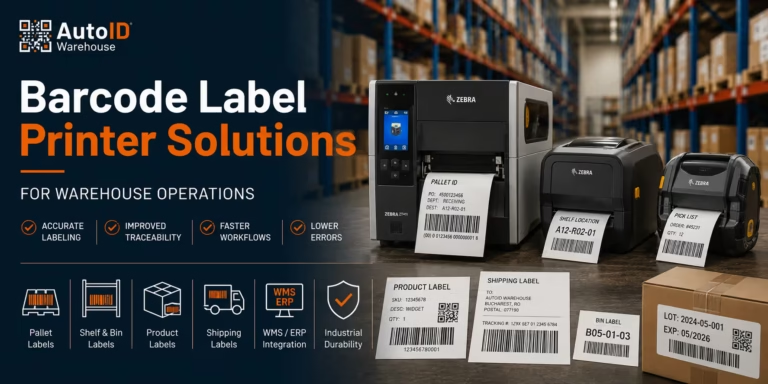
Barcode Label Printer Solutions for Warehouse Operations
Barcode label printer solutions give warehouse teams a reliable way to create scannable labels for receiving, putaway, picking, packing, inventory and dispatch. The right system is more than a printer: it combines the correct print technology, label material, ribbon, resolution, connectivity and software integration for each workflow.
Start with the label’s purpose and lifespan. Short-life courier and shipping labels can usually be printed with direct thermal technology. Shelf, rack, pallet, asset and freezer labels normally need the durability of thermal transfer printing. Then match the hardware to the workload: desktop label printers suit compact, lower-volume packing stations; industrial label printers support sustained output and larger media rolls; and mobile label printers let operators print beside the shelf, pallet or loading bay.
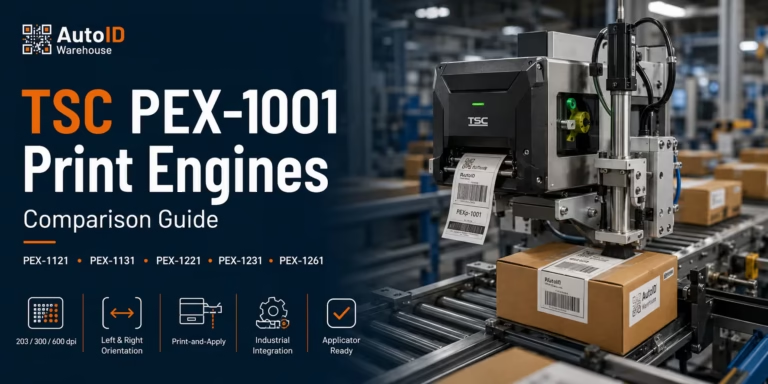
For traceability projects that require non-line-of-sight identification, an RFID label printer can print the visible barcode while encoding the inlay. Automated production and logistics lines may instead need print-and-apply systems or integrated print modules.
This buyer’s guide compares the main warehouse printer types, direct thermal and thermal transfer methods, 203/300/600 dpi options, label media, WMS/ERP connectivity and scanner compatibility. Use the decision matrix below to shortlist the right class of printer, then explore the complete range of label printers or request a configuration based on your label size, daily volume and working environment.
Need a fast recommendation? Send us your label dimensions, daily print volume, required lifespan, connectivity and WMS/ERP platform.
Why Barcode Printing Still Matters in Modern Warehouses
Warehouse automation is often discussed in terms of robotics, WMS platforms, mobile computers, RFID, and real-time dashboards. These systems are valuable, but they still depend on accurate physical identification. Products, cartons, bins, pallets, shelves, assets, and documents need labels that connect the physical warehouse to the digital system.
A well-designed barcode printing setup supports receiving, product labelling, carton labelling, shelf and bin identification, pallet tracking, shipping labels, returns processing, stock counting, internal traceability, and inventory management printing. It also reduces manual data entry, which is where many avoidable warehouse errors begin.
Barcode printing is therefore not a back-office task. It sits inside the operational flow. If a label is poor quality, too small, badly positioned, printed on the wrong material, or incompatible with the scanner, the warehouse loses time every time someone tries to identify that item.
In real warehouse environments, the cost of a bad label is rarely just the label itself. It may appear as a delayed shipment, a missed loading window, a picking correction, a return, a stock discrepancy, or a frustrated operator walking back to a workstation to print the same label again.
This is also why standards matter. Organisations such as GS1 provide global identification standards used across supply chains. For companies shipping across Romania and the wider European market, consistent identification helps improve communication between suppliers, warehouses, carriers, retailers, and customers.
Which Barcode Label Printer Solution Fits Your Warehouse?
Use this matrix as an initial shortlist. Final printer selection should also consider label width, peak volume, resolution, media roll capacity, connectivity, accessories and environmental conditions.
| Warehouse workflow | Typical requirement | Recommended printer type | Preferred print method | Good starting point |
|---|---|---|---|---|
| Small packing station | Shipping and product labels in short or moderate batches | Desktop label printer | Direct thermal for shipping; thermal transfer for durable product labels | Zebra ZD421t or the desktop printer range |
| Receiving and dispatch | Regular carton, pallet and shipping-label output | Industrial label printer | Direct thermal or thermal transfer, based on label lifespan | Zebra ZT411 |
| High-volume or multi-shift distribution | Sustained printing, large media rolls and high uptime | Heavy-duty industrial printer, with a backup strategy | Thermal transfer for durable labels; direct thermal for short-life dispatch labels | Zebra ZT610 or the industrial printer range |
| Putaway, cycle counting and relabelling | Printing at the shelf, pallet, forklift or yard | Mobile label printer | Direct thermal for temporary labels; application-dependent thermal transfer where supported | Mobile label printers |
| RFID pallet, asset or returnable-container tracking | Print a barcode and encode an RFID inlay in one workflow | RFID label printer | Thermal transfer or direct thermal, matched to the RFID media | RFID label printers |
| Automated carton, pallet or production line | Labels must be printed and applied without manual handling | Print engine or print-and-apply system | Application-specific | Print-and-apply systems and print modules |
Where Barcode Printers Fit into Daily Warehouse Workflows
Different warehouse areas usually require different printing setups. One printer type rarely solves every use case perfectly. Before choosing a model, it is worth mapping where labels are printed, who prints them, how often they are printed, and how long they must remain readable.
Receiving Area
Receiving teams often need to print product labels, internal stock labels, pallet labels, cross-docking labels, batch labels, or supplier-to-internal code labels as goods arrive. In this area, speed and accuracy matter because inbound delays can affect the rest of the warehouse.
A fixed industrial or high-performance desktop printer is often placed near the receiving station. If workers move around a large inbound area, mobile barcode printers can reduce walking time and help operators label goods at the point of receipt.
Storage and Putaway
During putaway, teams may need bin labels, shelf labels, pallet ID labels, temporary location labels, or replacement labels for damaged codes. Here, label durability becomes important. A shelf label should remain readable after dust, friction, temperature changes, repeated scanning, and daily warehouse handling.
For storage labels, thermal transfer printing is often preferred because it produces more durable results than short-life direct thermal labels. The right adhesive is also essential, especially for plastic totes, metal racks, cold storage, or outdoor areas.
Picking and Replenishment
Picking operations depend heavily on readable item and location labels. If barcode scanners cannot read shelf labels quickly, operators lose time on every pick. If the wrong barcode is placed on a bin or product, inventory accuracy drops and order errors increase.
For picking workflows, barcode label production should focus on good contrast, correct barcode size, clear human-readable text, durable material, consistent placement, and scanner-friendly label design.
Packing and Shipping
Packing stations often require shipping labels, courier labels, return labels, compliance labels, product labels, or internal control labels. Speed matters here because packing is often close to the customer-facing deadline.
A slow or unreliable printer can become a bottleneck during dispatch peaks. High-speed barcode printing is especially useful when many orders are processed in short waves or when several operators rely on the same printing point.
Inventory Management
Inventory counts, cycle counting, audits, asset checks, and stock corrections all depend on accurate identification. Inventory management printing often includes labels for products, shelves, bins, pallets, assets, tools, containers, and internal equipment.
When labels are reliable, warehouse teams spend less time correcting stock errors and more time moving goods. When labels are inconsistent, damaged, or hard to scan, every inventory process becomes slower.
Main Types of Warehouse Barcode Printers
Choosing the right printer starts with matching the printer category to the environment, workload, and operator behaviour. The most common options are industrial, mobile, desktop, and RFID barcode printers.
Industrial Barcode Printers
Industrial barcode printers are designed for demanding warehouse, logistics, manufacturing, and distribution environments. They are usually the right choice when the warehouse needs high daily print volumes, rugged construction, fast output, large media rolls, longer operating hours, multiple connectivity options, and reliable performance in busy or dusty areas.
Industrial printers are commonly used in receiving areas, production lines, pallet labelling stations, dispatch areas, and high-volume carton labelling workflows. They cost more than entry-level desktop printers, but they are built for sustained use.
A good example is a distribution centre printing thousands of pallet, carton, and shipping labels per day. In that environment, a small printer may technically work at first, but it will often struggle with media capacity, print speed, wear, and uptime. An industrial barcode printer is a better operational fit.
AutoID Warehouse offers industrial label printer options from manufacturers such as Zebra, TSC, Honeywell, CAB, Printronix, SATO, Toshiba, Carl Valentin, Godex, Citizen, and others.
Mobile Barcode Printers
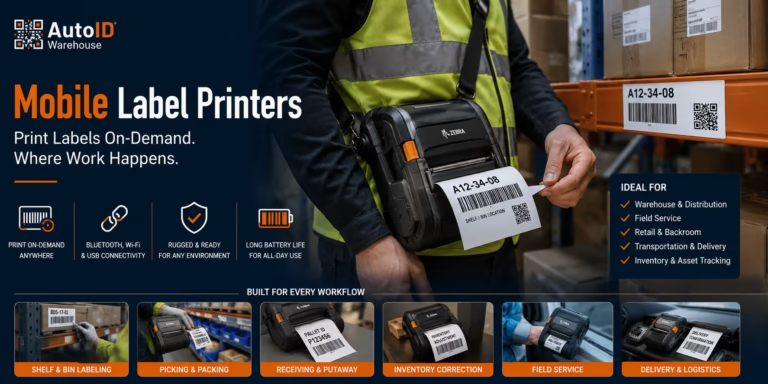
Mobile barcode printers allow warehouse staff to print labels at the point of work. Instead of walking back to a fixed printing station, employees can print labels while receiving goods, relabelling pallets, counting inventory, handling returns, or updating shelf locations.
Mobile printers are useful in large warehouses, yard operations, inventory counting, shelf and bin labelling, returns processing, cross-docking, temporary pallet labelling, and on-demand relabelling. Their main advantage is reducing unnecessary movement.
For example, during a cycle count, an operator may discover that several pallet locations have damaged labels. With a mobile printer connected to a handheld terminal, the operator can print replacement labels immediately instead of writing down the issue, walking to an office, printing labels later, and returning to the same area.
Desktop Barcode Printers
Desktop barcode printers are compact units suited for lower to medium print volumes. They are often used in small warehouses, office areas, low-volume packing stations, product sample rooms, spare parts rooms, and smaller e-commerce operations.
A desktop printer can be the right choice when space is limited and print volume is moderate. However, it should not be forced into an industrial role. If a printer designed for occasional use is used all day in a busy dispatch area, slower output, media changes, and wear may become operational problems.
For a spare parts warehouse printing a few hundred labels per day, a reliable desktop thermal barcode printer may be enough. For a regional distribution hub printing continuously across multiple shifts, an industrial model is usually safer.
RFID Barcode Printers
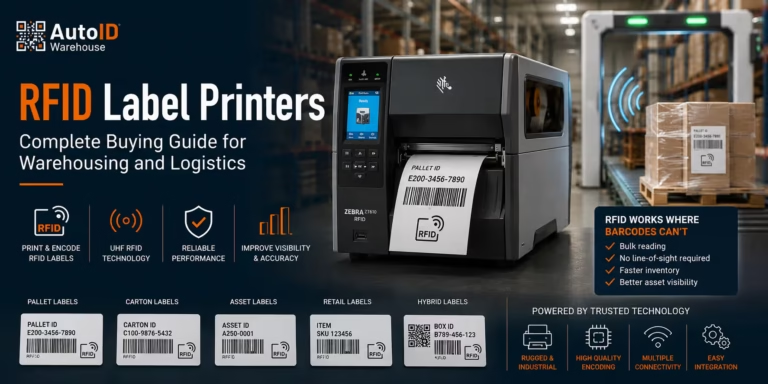
RFID barcode printers print visible barcode labels and encode RFID tags at the same time. They are used when businesses need faster non-line-of-sight identification, asset tracking, pallet tracking, returnable transport item control, or advanced traceability.
RFID can be valuable, but it is not automatically necessary for every warehouse. It requires compatible tags, RFID readers, software, process design, and testing. For the right operation, however, RFID can reduce manual scanning effort and improve visibility across assets, pallets, or high-value inventory.
Use RFID barcode printers when barcode scanning alone creates too much manual effort or when items need to be identified without direct line-of-sight scanning. A warehouse managing returnable crates, containers, or high-value tools may benefit from RFID when the project is planned properly.
Thermal Barcode Printers: Direct Thermal vs Thermal Transfer
Most warehouse barcode printers use thermal printing technology. The two main methods are direct thermal and thermal transfer. Both are useful, but they serve different label lifespans and environments.
Direct Thermal Printing
Direct thermal printers use heat-sensitive labels. The printhead applies heat directly to the label surface, creating the image without a ribbon. This makes direct thermal printing simple and efficient because there is no ribbon to replace.
Direct thermal printing is often used for shipping labels, courier labels, short-life carton labels, temporary warehouse labels, receipts, and dispatch documents. It is a practical choice when the label only needs to remain readable for days or weeks.
The limitation is durability. Direct thermal labels can fade when exposed to heat, sunlight, friction, or certain chemicals. They are usually not the best choice for long-term shelf labels, asset labels, or outdoor applications.
Thermal Transfer Printing
Thermal transfer printers use a ribbon. The printhead transfers ink from the ribbon onto the label material. This usually produces a more durable print, especially when the ribbon is matched correctly to the label material.
Thermal transfer printing is often better for long-term warehouse labels, shelf labels, pallet labels, outdoor labels, cold storage labels, asset labels, chemical-resistant labels, synthetic labels, and industrial environments.
A warehouse shelf label, for example, should not fade after a few weeks. If location labels become unreadable, picking accuracy suffers. In this case, thermal transfer is usually the better long-term solution.
Key Features to Compare Before Buying
A warehouse barcode printer should be evaluated by workflow, not only by price. The following criteria are usually the most important during selection.
Print Volume
Estimate how many labels the warehouse prints per day, per shift, and during peak periods. A printer that works well for 300 labels per day may not be suitable for 5,000 labels per day. Peak season matters too. If dispatch volume doubles in November or December, the printer setup must handle that peak, not just an average month.
Print Speed
High-speed barcode printing is useful when labels are printed in batches or when packing stations must process many orders quickly. However, speed should not be considered alone. A printer must maintain barcode quality at speed. A fast printer that produces poor-quality barcodes creates scanning problems later in the workflow.
Print Resolution
Common barcode printer resolutions include 203 dpi, 300 dpi, and 600 dpi. For many warehouse labels, 203 dpi is enough. For smaller labels, dense barcodes, fine text, electronics labels, product labels, or 2D codes with more data, 300 dpi or higher may be required.
Label Size and Media Width
Check the label sizes required before choosing the printer. Typical warehouse labels include product labels, shelf labels, bin labels, pallet labels, shipping labels, compliance labels, asset labels, and return labels. The printer must support the media width, roll size, and label format required by the workflow.
Connectivity
Warehouse printers may need USB, Ethernet, Wi-Fi, Bluetooth, serial connections, cloud printing, network printing, or integration with mobile computers. For fixed stations, Ethernet is often preferred for reliability. For mobile printers, Wi-Fi or Bluetooth may be required. IT teams should confirm compatibility with existing network and security policies before rollout.
Ruggedness
Warehouse environments are not always clean or gentle. Dust, vibration, temperature changes, forklift traffic, and long shifts affect equipment. Industrial printers are built for harsher use. Mobile printers should be checked for drop resistance, battery life, charging options, and usability with gloves if required.
Ease of Maintenance
Printer maintenance affects uptime. Before buying, consider how easy it is to change labels, replace ribbons, access the printhead, clean the printer, diagnose errors, source spare parts, and manage settings. A printer that is difficult to maintain will eventually frustrate operators and IT support teams.
Total Cost of Ownership
The cheapest printer is not always the most affordable solution. A proper cost comparison should include printer purchase price, labels, ribbons, printheads, maintenance, downtime risk, wasted labels, operator time, software licensing, integration work, and support availability.
For warehouse operations, total cost of ownership is usually more important than initial purchase price.
Barcode Printing Software and Label Design
Hardware is only one part of the solution. Barcode printing software controls how labels are created, managed, and printed. Good software helps teams design consistent labels, connect to data sources, reduce manual entry, and avoid formatting errors.
Useful software features include barcode label templates, database connectivity, variable data printing, serial number generation, batch and lot number printing, user permissions, print preview, WMS integration, ERP integration, printer management, RFID encoding support, and compliance label templates.
Good barcode label design solutions make labels easier to scan and easier for operators to understand. A practical warehouse label usually includes a clear barcode with enough quiet zone, human-readable text, product name or description, SKU or item code, batch or serial number where needed, date fields where relevant, location code, correct label size, correct contrast, and no unnecessary clutter.
One common mistake is trying to fit too much information on a small label. This makes barcodes smaller, reduces scanning reliability, and confuses warehouse staff. A better approach is to design labels around the task. A picker needs different information from a quality control operator. A courier label has different requirements from a shelf label.
Barcode Scanner Compatibility: Why It Matters
Barcode printers and scanners should be planned together. A barcode may look fine to the human eye but still scan poorly if the barcode type, size, contrast, density, print quality, or placement is wrong.
Barcode scanner compatibility depends on barcode symbology, print resolution, label size, scanner type, scanning distance, lighting conditions, label placement, surface curvature, material reflectivity, and the risk of damage or abrasion.
For example, a long 1D barcode printed too small may be difficult to scan from a forklift. A 2D barcode printed on a glossy label may reflect light and create scanning problems. A label placed on a curved plastic container may distort the code.
This is why warehouse barcode printers should be tested with the scanners or mobile computers used in the actual workflow. A practical test should include scanning at normal working distance, scanning under warehouse lighting, scanning labels after handling, scanning labels on real cartons or pallets, and testing labels after exposure to cold, dust, abrasion, or outdoor conditions where relevant.
Real Warehouse Scenarios and Recommended Printer Setups
Different operations need different barcode printer solutions. The examples below show how printer selection changes based on workflow and volume.
Medium-Sized E-commerce Warehouse
A Romanian e-commerce warehouse ships several hundred orders per day. Operators print product labels, shipping labels, return labels, and occasional shelf labels.
A practical setup may include desktop thermal printers at packing stations, direct thermal labels for shipping, one thermal transfer printer for shelf and location labels, barcode printing software connected to order data, and barcode scanners at picking and packing stations.
This works because the warehouse may not need heavy industrial printers at every station. Desktop printers can handle many packing label tasks, while one more durable thermal transfer unit can produce long-term warehouse location labels.
High-Volume Distribution Centre
A regional distribution centre processes thousands of cartons and pallets daily. The operation includes receiving, storage, replenishment, picking, packing, and dispatch.
A suitable setup may include industrial barcode printers in receiving and dispatch, high-speed barcode printing for batch labels, thermal transfer printing for pallet and warehouse labels, direct thermal printing for short-life shipping labels, mobile barcode printers for relabelling and inventory tasks, central barcode printing software integrated with the WMS, and a spare printer strategy for business continuity.
High-volume sites need durability, speed, and redundancy. Printer downtime can delay trucks, customer deliveries, and warehouse waves.
Manufacturing Warehouse
A manufacturer may need labels for raw materials, work-in-progress, finished goods, quality control, and traceability. Labels may include batch numbers, lot numbers, serial numbers, internal process codes, or inspection status.
A recommended setup may include industrial thermal transfer printers, durable synthetic labels, batch and serial number printing, integration with ERP or production software, barcode scanners at traceability checkpoints, and possibly RFID barcode printers for asset or pallet tracking.
Manufacturing labels often need to survive handling, dust, temperature changes, chemical exposure, or long storage periods. Thermal transfer printing and the right media are usually essential.
Cold Storage Warehouse
A cold storage warehouse handling food, pharmaceuticals, or temperature-sensitive goods has specific label challenges. Adhesive failure, condensation, low temperatures, and glove use can all affect label performance.
A suitable setup may include industrial thermal transfer printers, cold-resistant labels and adhesives, durable ribbons matched to the label material, barcode validation with scanners in cold conditions, clear human-readable information, and mobile printers only if they are rated for the environment.
Logistics Yard or Large Outdoor Warehouse
A logistics operation managing pallets, containers, or returnable transport items across large outdoor areas may need printing at the point of work. Fixed printing stations can slow operators down if they have to walk long distances for every label.
A suitable setup may include mobile barcode printers, rugged handheld terminals, durable synthetic labels, thermal transfer printing, RFID printing where non-line-of-sight tracking is useful, and careful Wi-Fi or mobile connectivity planning.
Custom Barcode Labels: When Standard Labels Are Not Enough
Many warehouses start with standard labels, then discover that some workflows need custom barcode labels. Custom labels may be required for unusual label sizes, freezer applications, outdoor storage, chemical exposure, high-abrasion environments, small product packaging, pallet labels with large barcodes, colour-coded warehouse zones, multilingual product information, or customer-specific compliance labels.
The label material, adhesive, ribbon, and printer settings should be selected together. A strong printer cannot compensate for the wrong adhesive. A durable synthetic label may still fail if paired with the wrong ribbon. A high-resolution printer may still produce poor results if the label template is badly designed.
Before ordering large label quantities, it is sensible to test samples in the actual warehouse environment. Apply the labels to real surfaces, scan them with real devices, expose them to normal handling, and check them again after a realistic period of use.
RFID, Digital Product Passports, and the Future of Warehouse Labelling
Barcode printing is evolving. Warehouses increasingly need labels that connect physical goods with richer digital information. RFID is one example. Another emerging area in Europe is the Digital Product Passport.
The European Commission describes the Digital Product Passport as a digital identity card for products, components, and materials, designed to store relevant information that can support sustainability, circularity, and compliance. More details are available from the European Commission’s Ecodesign for Sustainable Products Regulation page and the EUR-Lex text of Regulation (EU) 2024/1781.
For warehouses, this does not mean every company must immediately replace current barcode systems. It does mean label printing strategies should stay flexible. Companies selling into the European market may need to manage more data, more traceability, and more structured product identification over time.
A future-ready printing setup should make it easier to handle 2D barcodes, QR codes, GS1 identifiers, RFID labels, serialised product data, batch and lot traceability, compliance information, and product lifecycle data.
Common Buying Mistakes to Avoid
Buying Only on Printer Price
A low purchase price can be attractive, especially when budgets are tight. But in warehouse operations, the cheapest printer can become expensive if it causes downtime, poor print quality, wasted media, or frequent support issues. A better approach is to compare total cost of ownership.
Ignoring Label Material
The printer is only part of the system. Labels and ribbons must match the environment. A direct thermal paper label may work for shipping but fail as a long-term shelf label. A standard adhesive may not work in cold storage. A glossy label may create scanning issues under strong lighting.
Underestimating Peak Volume
Many teams calculate average daily label volume but forget peak periods. If dispatch volume doubles during seasonal campaigns, the printer setup must handle that increase without slowing the operation.
Poor Software Integration
Manual label entry leads to mistakes. If operators type product codes, quantities, batch numbers, or order data by hand, errors will happen. Where possible, barcode printing should pull data directly from WMS, ERP, inventory, or shipping platforms.
Not Testing with Real Scanners
Print samples should be tested with the actual barcode scanners used in the warehouse. Do not approve a label only because it looks good on a screen. Scan it in the real environment, on the real surface, at the real distance.
No Backup Plan
If one printer failure can stop shipping, the setup is too fragile. Critical operations should consider backup printers, spare printheads, spare labels, spare ribbons, and support agreements.
How to Choose the Right Barcode Printer Solution
A practical selection process starts with workflow mapping, not with a model number.
- Map the workflow: Identify where labels are printed and used, including receiving, putaway, storage, picking, packing, shipping, returns, inventory counting, production, and yard operations.
- Define label requirements: Clarify label size, barcode type, text fields, expected lifespan, surface material, indoor or outdoor use, temperature exposure, chemical exposure, scanning distance, and compliance needs.
- Estimate print volume: Calculate average and peak daily volume. Check whether labels are printed steadily or in short bursts.
- Choose the printer category: Use industrial printers for high-volume sites, mobile printers for point-of-work labelling, desktop printers for lower-volume stations, and RFID printers for RFID encoding projects.
- Select labels and ribbons: Choose media based on durability, adhesive, surface, and environment.
- Check software and integration: Confirm how label data will be generated, who can edit templates, and how printers connect to WMS, ERP, inventory, or shipping systems.
- Test before rollout: Run a pilot with real printers, real labels, real scanners, and real users.
Get a Barcode Printer Configuration for Your Workflow
A warehouse printer should be selected together with its labels, ribbons, connectivity and software workflow. Send AutoID Warehouse your label dimensions, barcode type, average and peak daily volume, required label lifespan, operating environment and WMS/ERP or shipping platform.
We can help you compare desktop, industrial, mobile, RFID and print-and-apply options and identify the suitable resolution, media and accessories for the application.
Request a tailored warehouse printing quote or call 08008 288 643, Monday–Friday, 09:00–17:00.
Why Work with AutoID Warehouse
Warehouse barcode printing is not only about buying a device. It is about building a reliable identification workflow that operators can use every day without unnecessary steps.
AutoID Warehouse offers a wide range of warehouse barcode printers, industrial barcode printers, mobile barcode printers, thermal barcode printers, RFID barcode printers, and related solutions from trusted manufacturers including Zebra, TSC, Carl Valentin, Honeywell, Citizen, CAB, Dascom, Printronix, Godex, Bixolon, SATO, Toshiba, Unitech, and Epson.
This range allows warehouse and logistics teams to compare different printer classes, price points, connectivity options, print technologies, media compatibility, and industrial requirements. AutoID Warehouse can support projects involving printer selection, barcode label production, barcode printing software, barcode scanner compatibility, thermal labels and ribbons, custom barcode labels, inventory management printing, RFID printer planning, and integration discussions.
For warehouse managers, the benefit is operational reliability. For IT project managers, it is compatibility and integration clarity. For logistics managers, it is faster, cleaner, more dependable label output across receiving, storage, and dispatch.
Explore professional label printer options for warehouse operations: https://autoidwarehouse.com/label-printers/
Final Thoughts
The best barcode printer solutions for warehouse operations are not chosen by brand name or price alone. They are chosen by workflow.
A small e-commerce warehouse may need compact desktop printers and reliable shipping labels. A regional logistics hub may need industrial barcode printers, mobile barcode printers, and backup units. A manufacturer may require durable thermal transfer labels for traceability. A future-focused operation may evaluate RFID barcode printers and 2D barcode capabilities.
The right solution should answer practical questions. Will the label scan the first time? Will it last as long as needed? Can operators print it without extra steps? Can IT support and integrate the system? Can the printer handle peak volume? Will the setup still work as the warehouse grows?
When these questions are answered properly, barcode printing becomes more than a label task. It becomes a foundation for accurate inventory, faster dispatch, cleaner traceability, and better warehouse control.
Frequently Asked Questions
What is the best barcode label printer for a warehouse?
The best choice depends on label type, average and peak print volume, working environment, connectivity and how long each label must remain readable. Desktop printers suit lower-volume packing stations, industrial printers support sustained warehouse output, mobile printers enable point-of-work labelling, and RFID printers add tag encoding.
When should a warehouse use an industrial instead of a desktop label printer?
Choose an industrial printer when labels are produced continuously or in large peaks, the printer must run across multiple shifts, larger media rolls are required, or the device will operate in a demanding warehouse area. A desktop printer is usually more suitable for compact stations and lower or moderate volumes.
Is direct thermal or thermal transfer better for warehouse labels?
Direct thermal is practical for short-life shipping, courier and temporary labels because it does not use a ribbon. Thermal transfer is normally better for shelf, rack, pallet, asset, freezer and other labels that need longer life or greater resistance to handling and environmental exposure.
What print resolution is required for barcode labels?
203 dpi is suitable for many standard shipping, carton and pallet labels. Choose 300 dpi for smaller labels, compact 2D codes or fine text. Consider 600 dpi for very small component, electronics or compliance labels after testing the real barcode and media.
Can a barcode label printer connect to a WMS or ERP?
Yes. Warehouse label printers can be integrated with WMS, ERP, inventory, production and shipping platforms through drivers, printer languages, network connections, APIs or middleware. Confirm the data source, template workflow, connectivity and printer compatibility before rollout.
When does a warehouse need a mobile label printer?
A mobile printer is useful when employees need to label goods at receiving, replace shelf or pallet labels during putaway and cycle counts, process returns, or print in a yard without repeatedly walking to a fixed station.
What information is needed for an accurate printer quote?
Provide the label dimensions, barcode type, average and peak daily volume, required print resolution, label lifespan, surface, temperature and exposure conditions, preferred connectivity, WMS/ERP or shipping platform, number of printing points and whether RFID encoding or automated application is required.