
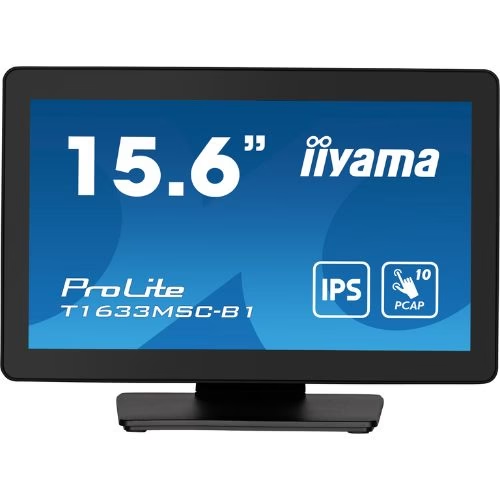
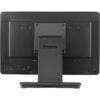
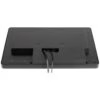

Touchscreen monitor 15.6″ Full HD PCAP 10 Touch, IPS, HDMI/DP, Edge-to-Edge – iiyama T1633MSC-B1
467,06 € incl. VAT
IIYAMA T1633MSC-B1 15.6” PCAP touchscreen monitor with 10 touch points, edge-to-edge glass, Full HD IPS panel, ergonomic stand and IP54 protection – ideal for retail applications.

IIYAMA ProLite T1633MSC-B1 – 15.6” Touch Monitor, Full HD, PCAP 10-touch, edge-to-edge anti-glare glass, ideal for POS, front-desk & info-kiosk
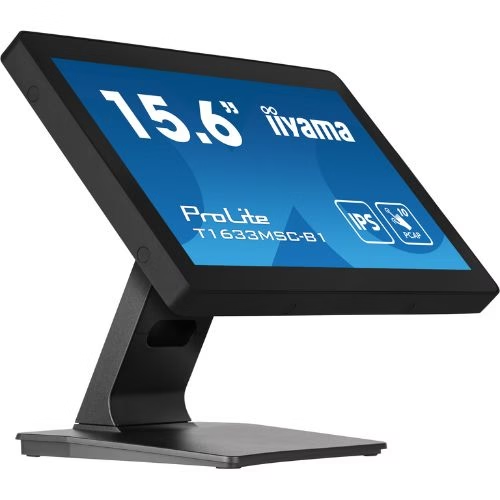
iiyama ProLite T1633MSC-B1 is a compact 15.6” (16:9, Full HD) touch monitor designed for POS/retail, receptions, public counters, ticketing and info-kiosk. PCAP 10-touch technology offers fast and precise gestures, and edge-to-edge glass with anti-glare/anti-fingerprint treatment maintains readability in ambient light and is easy to clean. Modern connectivity (HDMI + DisplayPort, with USB for touch – HID plug-and-play) simplifies integration, and the wide tilt stand (up to +90° / –5°) is perfect for digital signatures at the counter. The case is VESA 100×100 ready, so you can quickly mount it on a wall or arm.
Why choose T1633MSC-B1
- Smartphone-like touch: 10-point PCAP with fast response and palm-rejection.
- Clear image on small format: IPS/ADS Full HD – fine text, wide viewing angles for close viewing.
- Edge-to-edge anti-glare: durable glass surface, easy to clean.
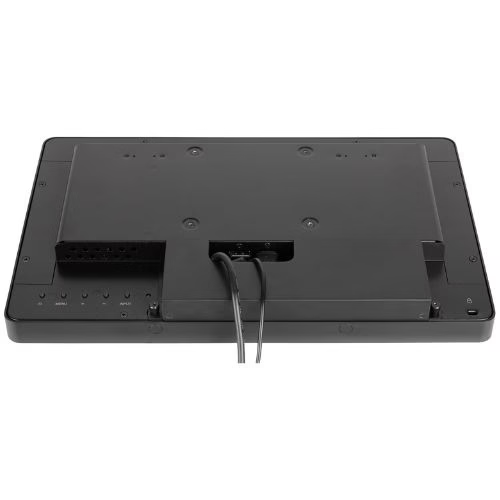
- Plug-and-play installation: HDMI + DisplayPort, USB for touch (HID), audio-out and integrated speakers.
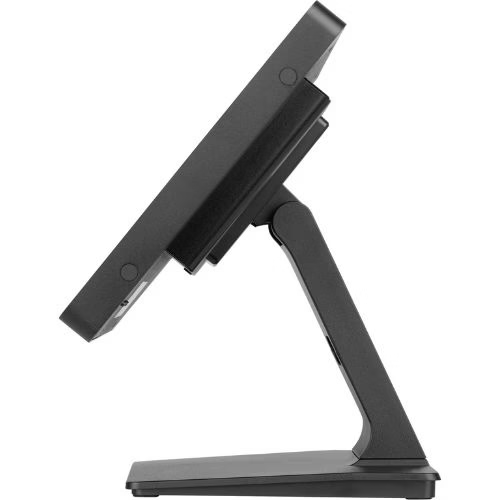
- Front-desk ergonomics: tilt +90° / –5° for signature position.
- Safe for public spaces: OSD key-lock, cable management, VESA 100×100 mount.
Recommended scenarios
- Retail & POS: cash register, signatures, forms, customer loyalty.
- Reception & hospitality: check-in/out, info-desk, wayfinding at the counter.
- Public/services: public relations counters, ticketing, appointments.
- Education & expo: compact info points, interactive demo stands.
Technical specifications
| Section | Specifications |
|---|---|
| Model | ProLite T1633MSC-B1 |
| Panel / Image | 15.6” (39.6 cm) • IPS/ADS • 1920×1080 @60 Hz (16:9) • panel brightness ≈300 cd/m² (slightly lower with touch layer) • contrast ≈1000:1 • response time ≈8 ms GTG • viewing angles ≈178°/178° • edge-to-edge glass with anti-glare/anti-fingerprint finish |
| Touch | Projected Capacitive (PCAP) • 10 points (HID) • palm-rejection • methods: capacitive stylus, finger, thin glove (latex) • interface USB |
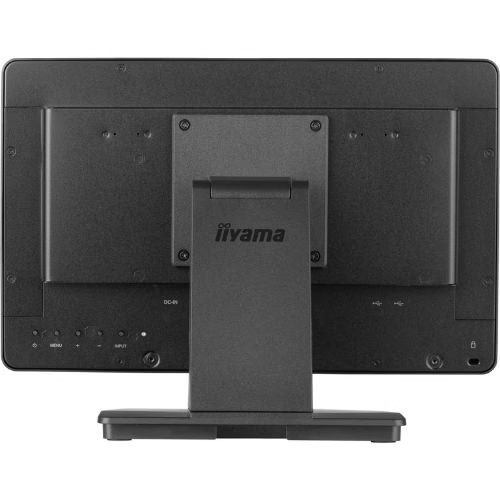
| Inputs / Outputs | HDMI ×1 • DisplayPort ×1 • USB (touch) ×1 • Audio-out 3.5 mm ×1 • integrated speakers |
| OSD & Comfort | Blue Light Reducer, Flicker-Free, OverDrive, image presets • OSD key-lock, DDC/CI, Plug&Play DDC2B |
| Ergonomics & Montage | Inclination: +90° / –5° (signature mode) • VESA 100×100 mm • cable management |
| Compatibility | Windows 10/11, Linux, Android (touch HID plug-and-play) |
| Power & Consumption | AC 100–240 V, 50/60 Hz (internal/external power supply after revision) • typical consumption ≈10–18 W |
| Dimensions & Weight | Compact counter/front-desk form factor • weight ≈3–4.5 kg |
| In the box | Power cable, USB (touch), HDMI (and/or DP, depending on market), cable management cover, start-up guide |
| Compliance | CE, RoHS, ErP, WEEE, REACH, UKCA • Kensington-lock ready |
“Precise touch in a compact form factor – the T1633MSC-B1 brings your smartphone experience to the counter, with plug-and-play installation and easy maintenance.”
Benefits at a glance
- Convenient digital signatures thanks to +90° / –5° tilt.
- 10-point touch for fast POS forms and workflows.
- Clean setup: HDMI + DP, USB touch, audio-out, speakers integrated.
- Flexible mounting: desk, wall or arm – VESA 100×100.
- Safe in public: OSD lock, easy-to-clean glass surface.
Frequently Asked Questions (FAQ)
1) Does it require a touch driver?
No. It works HID plug-and-play on Windows, Linux and Android.
2) Can I use gloves?
Yes, thin (latex) glove is supported, in addition to finger and capacitive stylus.
3) Can it be mounted on a wall?
Yes, via VESA 100×100 mm (wall, arm, stand).
4) What are the advantages of the 15.6 diagonal?
Is it compact for the counter/front-desk, but large enough for forms and signatures.
5) Does it have speakers?
Yes, suitable for basic multimedia and notifications; there is also a 3.5 mm audio-out.
6) Does it reduce reflections?
Yes, the anti-glare coating reduces glare and maintains clarity.
7) What is the typical consumption?
Around 10–18 W, efficient for prolonged daily use.
8) Can I lock access to settings?
Yes, via OSD key-lock, useful in public spaces.
Only logged in customers who have purchased this product may write a review.

Reviews
There are no reviews yet.