


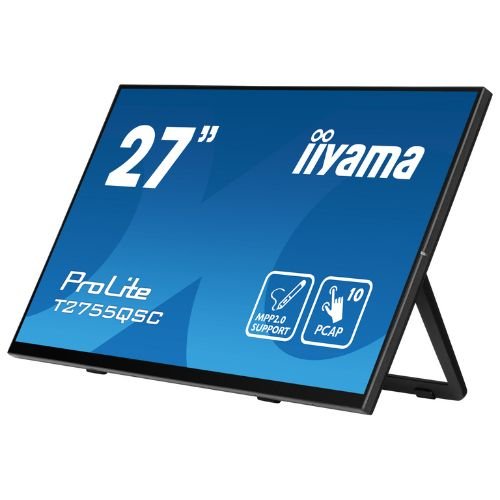




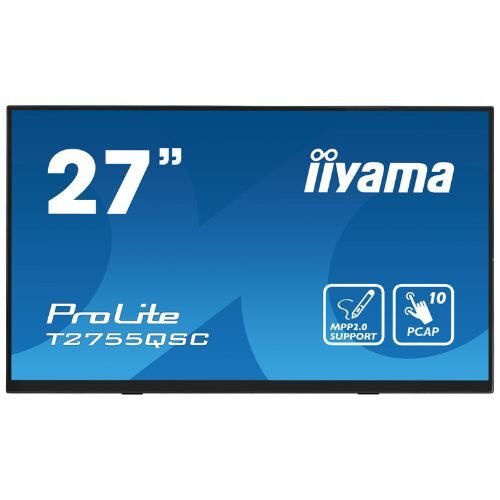
Monitor Touch 27″ WQHD PCAP 10 points, IPS, Optical Bonded, MPP 2.0 Stylus – iiyama T2755QSC
552,97 € incl. VAT
The IIYAMA T2755QSC is a 27″ WQHD touchscreen monitor with optical bonding PCAP technology, IPS panel and edge-to-edge glass. It offers active MPP 2.0 stylus support, anti-fingerprint coating and flexible stand, making it ideal for creative and professional applications.

IIYAMA ProLite T2755QSC-B1 – 27” Touch Monitor, QHD 2560×1440, USB-C Docking (Power Delivery), PCAP 10-touch, edge-to-edge glass, anti-fingerprint
iiyama ProLite T2755QSC-B1 is a 27” touch monitor with QHD (2560×1440) resolution, ideal for front-desk, POS/retail, education, offices and collaboration spaces. PCAP 10-touch technology with optical bonding offers fast response, minimal parallax and a natural writing feel, and the edge-to-edge glass has anti-fingerprint coating for an always clean surface. Modern USB-C (DP Alt Mode + Power Delivery) connectivity turns the monitor into a mini-dock: transmit video + data + power to your laptop via a single cable, have a USB hub for peripherals and, depending on the scenario, network via RJ45 (if your system requires it – see table). With HDMI + DisplayPort, integrated speakers, Blue Light Reducer and Flicker-Free modes, the T2755QSC is the all-in-one solution for clean, efficient workstations that are always ready for interaction.
Why choose T2755QSC-B1
- QHD 27” (2560×1440): more workspace, fine text, clearer UI.
- PCAP 10-touch + optical bonding: high precision, low parallax, palm rejection.
- USB-C Docking (PD): a single cable for video + data + power (PD up to ≈65 W).
- Tidy setup: built-in USB hub for mouse/keyboard, readers, sticks.
- Anti-fingerprint glass: less fingerprints, smooth gliding, quick cleaning.
- Comfort & safety: Blue Light Reducer, Flicker-Free, OSD key-lock, VESA 100×100.
Recommended scenarios
- Retail & POS: digital signature, forms, desk kiosks, interactive catalogs.
- Reception & hospitality: check-in/out, self-service info-desk, wayfinding at the counter.
- Education & office: whiteboard, annotations, labs, hands-on training.
- UX/Production/Control: control panels, timelines, live presets.
Technical specifications
| Section | Specifications |
|---|---|
| Screen | Diagonal 27” (68.6 cm) • Resolution QHD 2560×1440 (16:9) • Panel IPS • Panel brightness ≈300–350 cd/m² (≈270–320 cd/m² with strat touch) • Contrast ≈1000:1 • Response time ≈5 ms GTG • Viewing angles 178°/178° • Color gamut 16.7 mil. |
| Glass & Touch | 10-point PCAP (HID) • Optical bonding (reduced parallax, better perceived contrast) • Palm rejection • Methods: capacitive stylus, finger, glove (latex) • anti-fingerprint layer • USB touch interface |
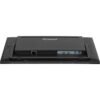
| Video inputs | USB-C (DP Alt Mode + Power Delivery up to ≈65 W) • DisplayPort ×1 • HDMI ×1 |
| Data & Hub | USB-C upstream for laptop • USB Hub (2× downstream) for peripherals (5 Gbps, 5V/900 mA – values may vary depending on PC/PD source) |
| Network | RJ45 (Ethernet) via USB-C docking (where provided/enabled in configuration) |
| Audio | Integrated speakers • Audio-out 3.5 mm |
| OSD & Comfort | Blue Light Reducer, Flicker-Free, OverDrive, i-Style/Advanced Contrast, X-Res • OSD key-lock, DDC/CI, Plug&Play DDC2B |
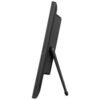
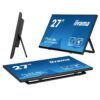
| Ergonomics & Mounting | Tilt: +90° / –5° (easy desk-signing mode) • VESA 100×100 mm • cable management |
| Compatibility | Windows 10/11 (HID), modern Linux kernel; touch functions in compatible applications |
| Power & Power Consumption | AC 100–240 V, 50/60 Hz • Typical Power Consumption ≈18–22 W (without charging laptop via PD) • Standby ≈0.5 W |
| Dimensions & Weight | (approx.) 625 × 410 × 240 mm (with stand) • Weight ≈5–6 kg |
| Color / Design | Matte black, edge-to-edge glass |
| In the box | Power cable, USB-C, USB-A ↔ USB-B (touch), HDMI; start guide, cable management cover |
| Security | Kensington-lock ready |
| Compliance | CE, RoHS, ErP, WEEE, REACH, UKCA, (other usual iiyama certifications) |
“USB-C Docking cleans up your desk: a single cable carries image, touch, peripherals and laptop charging.”
Benefits in short
- QHD on 27” = more space for UI, sheets, timelines, without aggressive scaling.
- Top touch: PCAP + optical bonding for precision and comfort.
- Dock via USB-C: connect & charge your laptop with a single cable.
- Integrated hub: mouse, keyboard, reader – all in the monitor.
- Visual comfort: Flicker-Free, Blue Light Reducer; anti-fingerprint surface.
Frequently asked questions (FAQ)
1) Does it charge my laptop via USB-C?
Yes, USB-C with Power Delivery (≈up to 65 W) powers many ultrabooks.
2) Can I use touch on Windows without a driver?
Yes, it works as native HID; compatible applications will see 10-touch.
3) Can I also connect peripherals to the monitor?
Yes, via the integrated USB hub (downstream ports).
4) Is there networking through the monitor?
In configurations with RJ45 on USB-C dock, the laptop receives Ethernet via the same cable.
5) What if I don’t have USB-C?
Are you using HDMI or DisplayPort for video and USB (A↔B) for touch.
6) Is it suitable for signatures at the counter?
Yes, the +90° / –5° tilt allows a low, comfortable position for signing.
7) Does it work with gloves?
Yes, with a latex glove, in addition to the capacitive stylus and finger.
8) Does it have anti-fingerprint protection?
Yes, the glass has nano-coating for fewer marks and easy cleaning.
Only logged in customers who have purchased this product may write a review.
Reviews
There are no reviews yet.